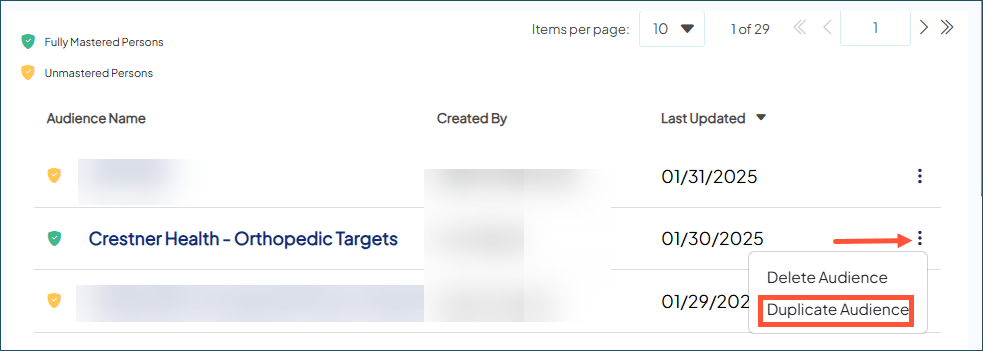
Duplicate an audience
You can duplicate any audience regardless of ownership or status. The duplicate audience:
- Automatically has the word Copy appended to its original name. Choose Edit and access Audience Settings to alter the name of the new audience.
- Is an exact copy of the original, with both the overall audience and audience group(s) and their respective criteria applied.
- Go to Audience Insights.
- Use the Search field to find the audience you want to duplicate.
- Hover over the audience. Click the overflow menu icon and choose Duplicate.
- The Audience Editor opens, displaying the new audience so you can edit it to suit your current needs.