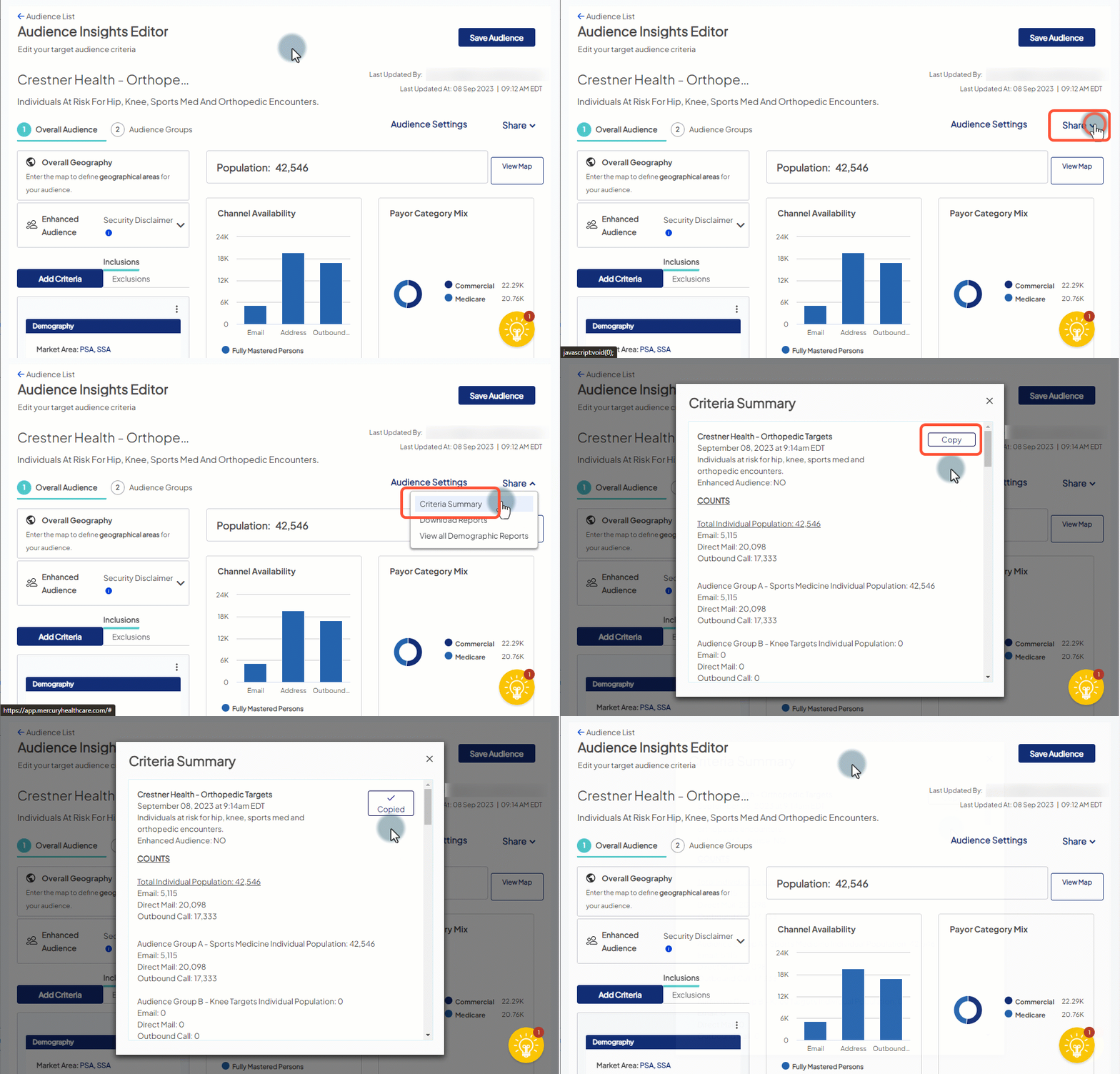
Generate a Criteria Summary
You can generate a Criteria Summary that lists the audience’s current settings and its criteria and counts at both the overall and audience group level. The summary displays in full the key information about the audience so you can review the audience as a whole. You can also copy its entire contents with a single click and paste it into an email or document to share with others for their review and approval.
- Access Audience Insights and click the audience name (or Edit) to open an existing audience.
- When the audience opens in the Audience Insights Editor, choose Share > Criteria Summary.
- The Criteria Summary window opens.
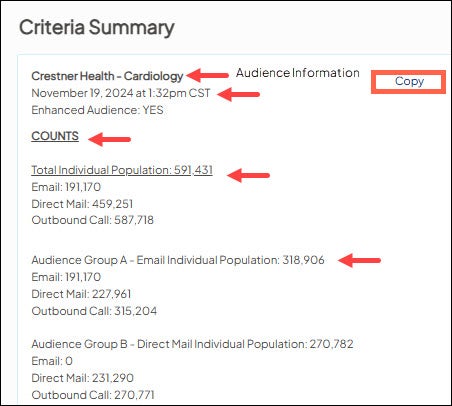
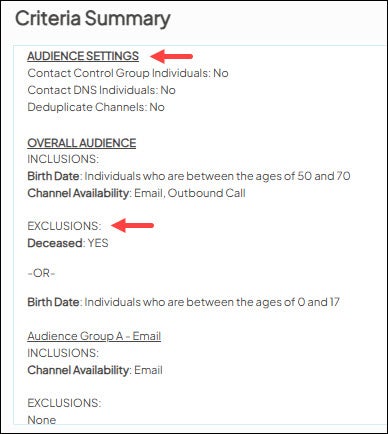
- In the Criteria Summary window, choose Copy to automatically select and copy all content in the summary. You do not need to highlight any of the content in order to select it.