Create a tactic
- Go to Campaign Workflow.
- On either the All Campaigns or Favorites tab, click the campaign name to open it.
- On the Overview tab, click Tactics & Tracking to scroll to that section.
- Click +New Tactic. The tactic editor opens, where you can:
- Define your tactic and call to action.
- Specify the required values to build trackable URLs for response tracking.
At a minimum, you must enter a URL and select a channel, source, and agency in order to generate the tracking URL.
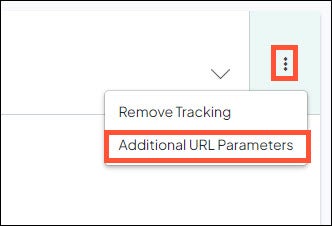
- Click to expand the 3-dot menu to and select Additional URL Parameters to specify optional values to add to your trackable URL.
- Click Save to return to the main tactic editor.
- Click the Generate button to populate the URL with Parameters field with a tracking URL formatted with the specific parameters.
- Click the Copy URL button to copy the URL to your clipboard for placement in your marketing messaging.


