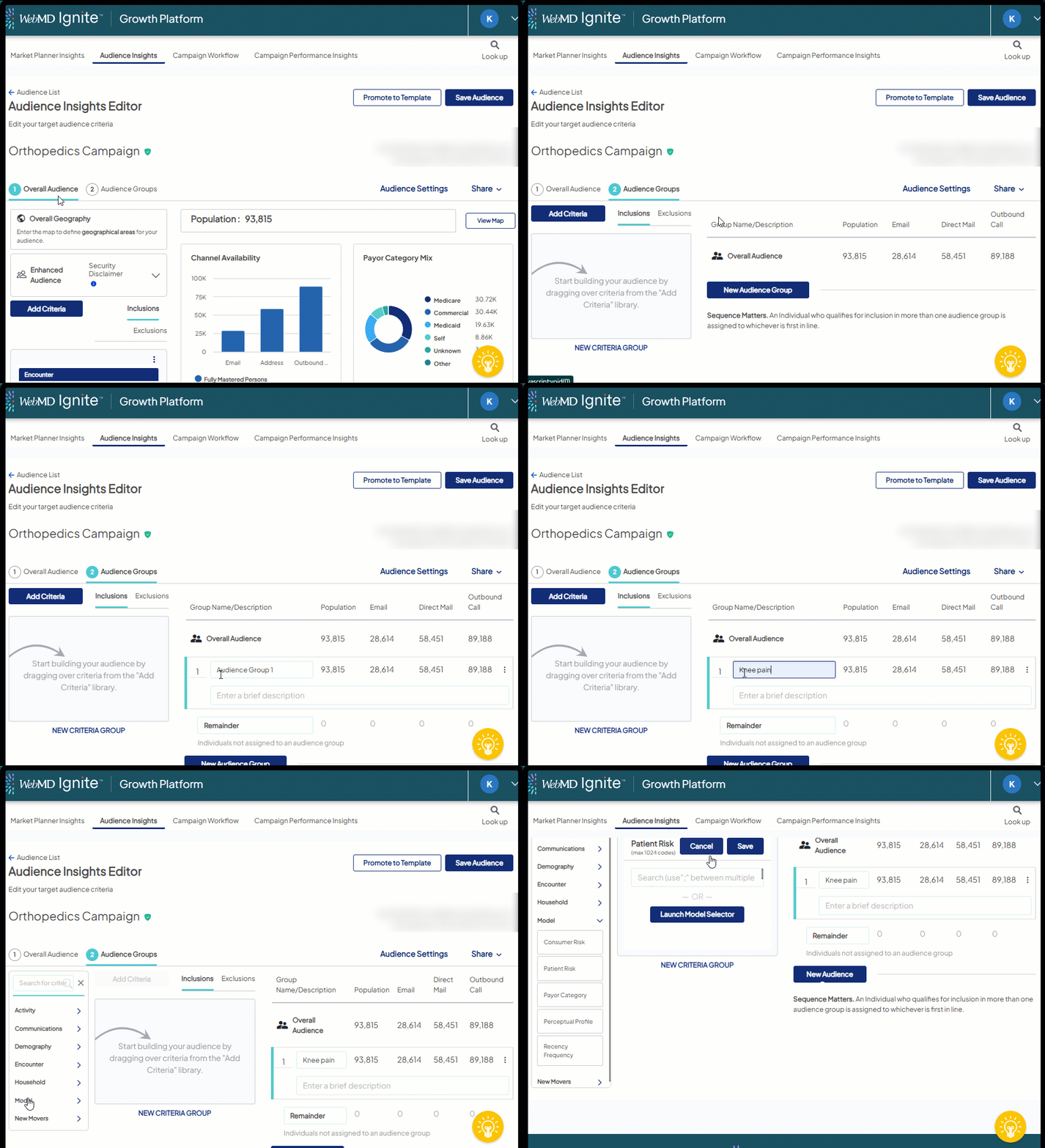
Add an Audience Group
An Audience Group is a subset of your overall audience, defined by further criteria. Adding audience groups to your overall audience allows you to capture a breakdown of your overall metrics by each group.
To add an Audience Group:
- After creating a new/opening an existing audience, apply criteria on the Overall Audience tab to define the pool of individuals from which individuals will be pulled to create Audience Group(s).
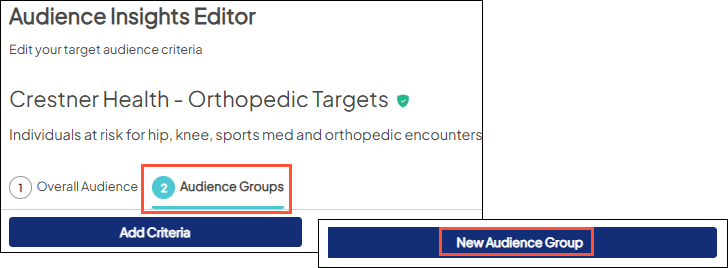
- Click the Audience Groups tab > Click New Audience Group.
- Click the "Audience Group" default name to edit/rename and enter a brief description of the audience group for future reference (the description is optional).

Consider giving the group a meaningful name that, at a glance, can inform you and other users of its purpose at a later time.