Include a remainder group
If your target audience has audience groups, then it automatically has a remainder group that contains those individuals who qualify at the Overall Audience level but who do not qualify for any of the audience groups.
Excluded by default from the lists you create or from being sent to marketing automation, you can choose to include the remainder group's members instead.
- Go to Campaign Workflow.
- On either My Campaigns/All Campaigns, click the campaign name to open the campaign.
- On the Overview tab, choose Target Audience to scroll to that section.
- For the desired target audience, choose the option that corresponds to the remainder group. By default, this option is not selected.
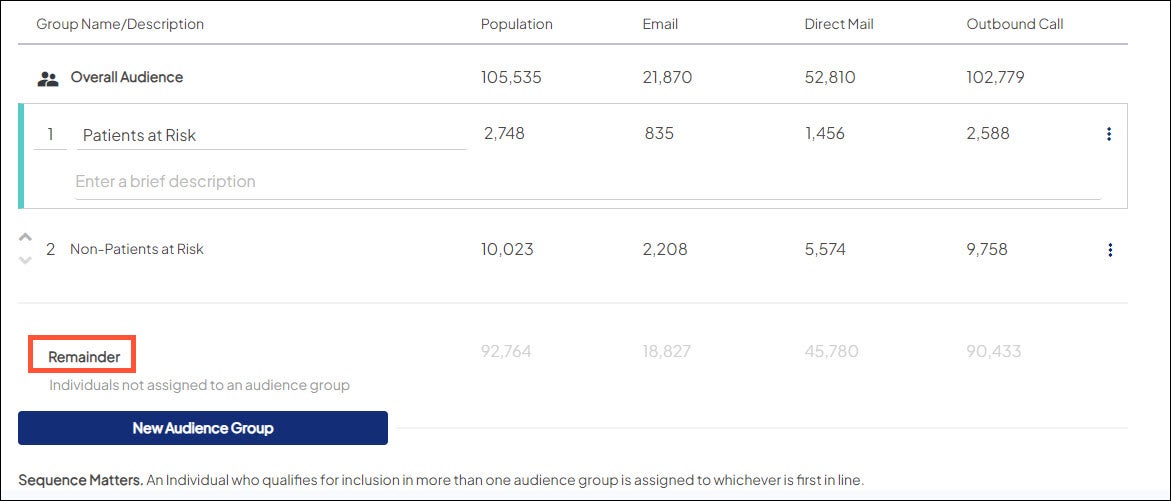
- You can change the name of the remainder group in Target Audience Editor so this group may no longer be labeled 'Remainder.' It is, however, always the last group listed in a given target audience.
- Since members of the remainder group are already part of the total overall audience, you won’t see an increase in the overall audience count when you choose to include them.

