How-to: Specify campaign settings
For a new campaign
To edit a new campaign’s settings:
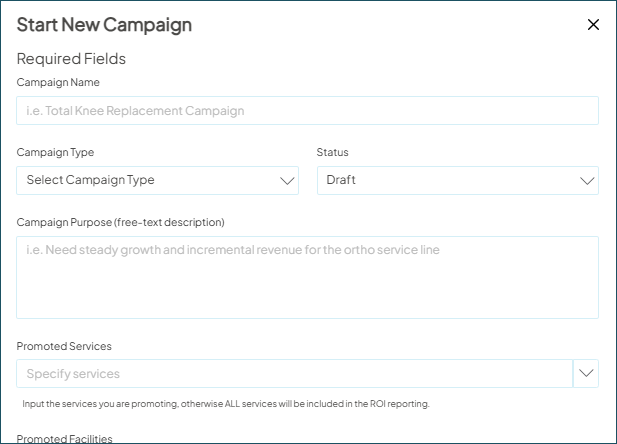
- Go to Campaign Workflow and click New Campaign. The start new campaign window will appear with required and optional fields to complete.
- Edit as needed.
- Choose Save.
Learn more about Campaign Settings in this article.
For an existing campaign
To edit a campaign’s existing settings:
- Go to Campaign Workflow and click the campaign name of the campaign to open it.
- When the campaign opens, choose Campaign Settings.
- The same required and optional settings display as when you created the campaign anew. Edit as needed.
- Choose Save.

