Work with target audiences in a campaign
Target audiences can be created and accessed via Audience Insights and Campaign Workflow.
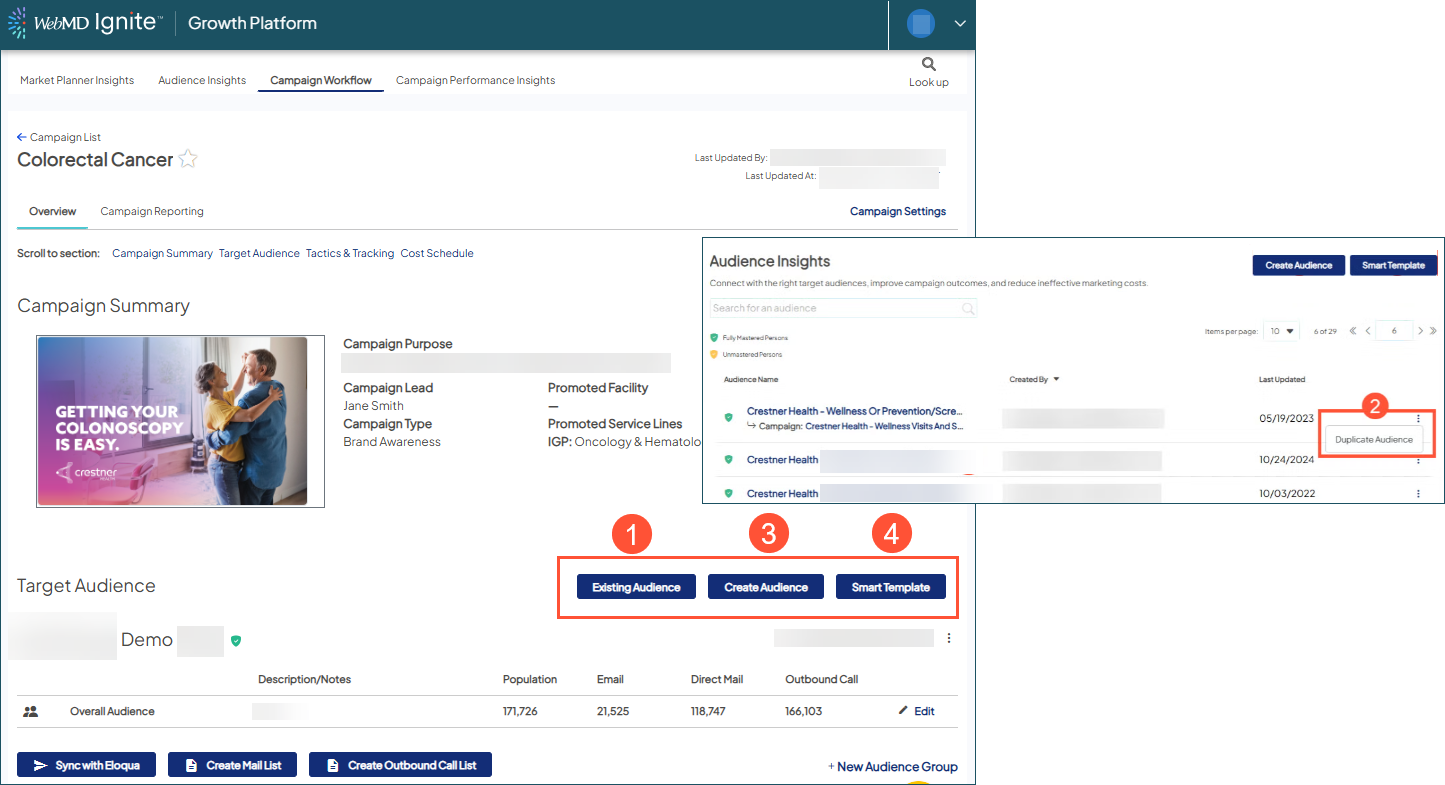
The four options available to create a target audience to attach to your campaign are:
- Choose an existing audience.
- Duplicate an audience by clicking the 3 dot menu.
- Choose Create Audience to start from scratch.
- Use a Smart Template for guided assistance.
 Multiple target audiences can be attached to/used for a single campaign, when needed; but each individual target audience should be attached ONLY to a ONE campaign (cannot belong to more than one campaign at a time).

