Smart Templates
Use a Smart Template to select a target audience using a set of pre-configured criteria.
In developing Smart Templates, WebMD Ignite selected the criteria to pre-configure in a given template based on our healthcare marketing experience and industry best practices. Once you create a target audience using a Smart Template, you can then alter the pre-configured criteria and/or select additional criteria to personalize the audience to your needs.
Service Line Growth template
Use the Service Line Growth template to drive volume for a particular service line based on likelihood of individual need and risk.
With this template, you build a target audience for the following service lines:
- Cardiology
- Oncology
- Orthopedics
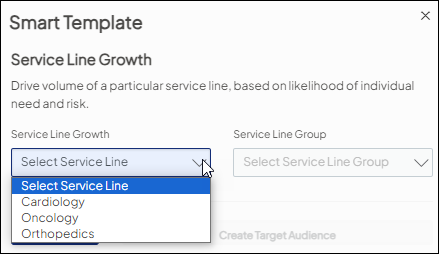
When you choose this template, you are prompted to select the following information:
- The service line you want to grow. Choose one of the following: Cardiology, Oncology, or Orthopedics.
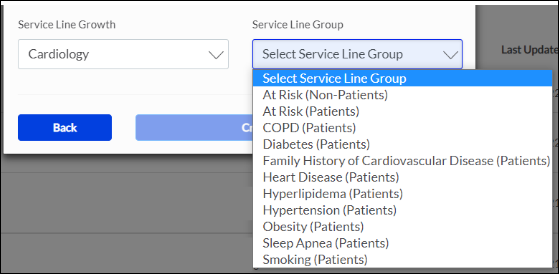
- A focused service line group within the selected service line. Examples include:
- For the Cardiology service line: At Risk (Patients), Smoking (Patients), etc.
- For the Orthopedics service line: Knee (Patients), Sports Medicine (Non-patients), etc.
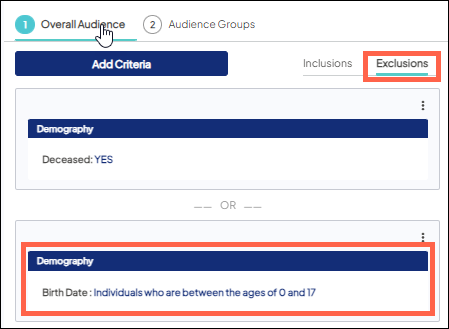
Default exclusions
By default, every target audience you create (regardless of creation method) has certain exclusions in place at the overall audience level. These default exclusions represent individuals you should regularly exclude from your audience.
The following criteria and the specified parameters are applied by default on the Exclusions canvas:
- Deceased is set to Yes to exclude individuals marked as deceased.
- Birth Date is set to exclude individuals who are between the ages of 0 and 17 since you are not allowed, by law, to market to underage individuals. Learn more about including minors in a target audience.