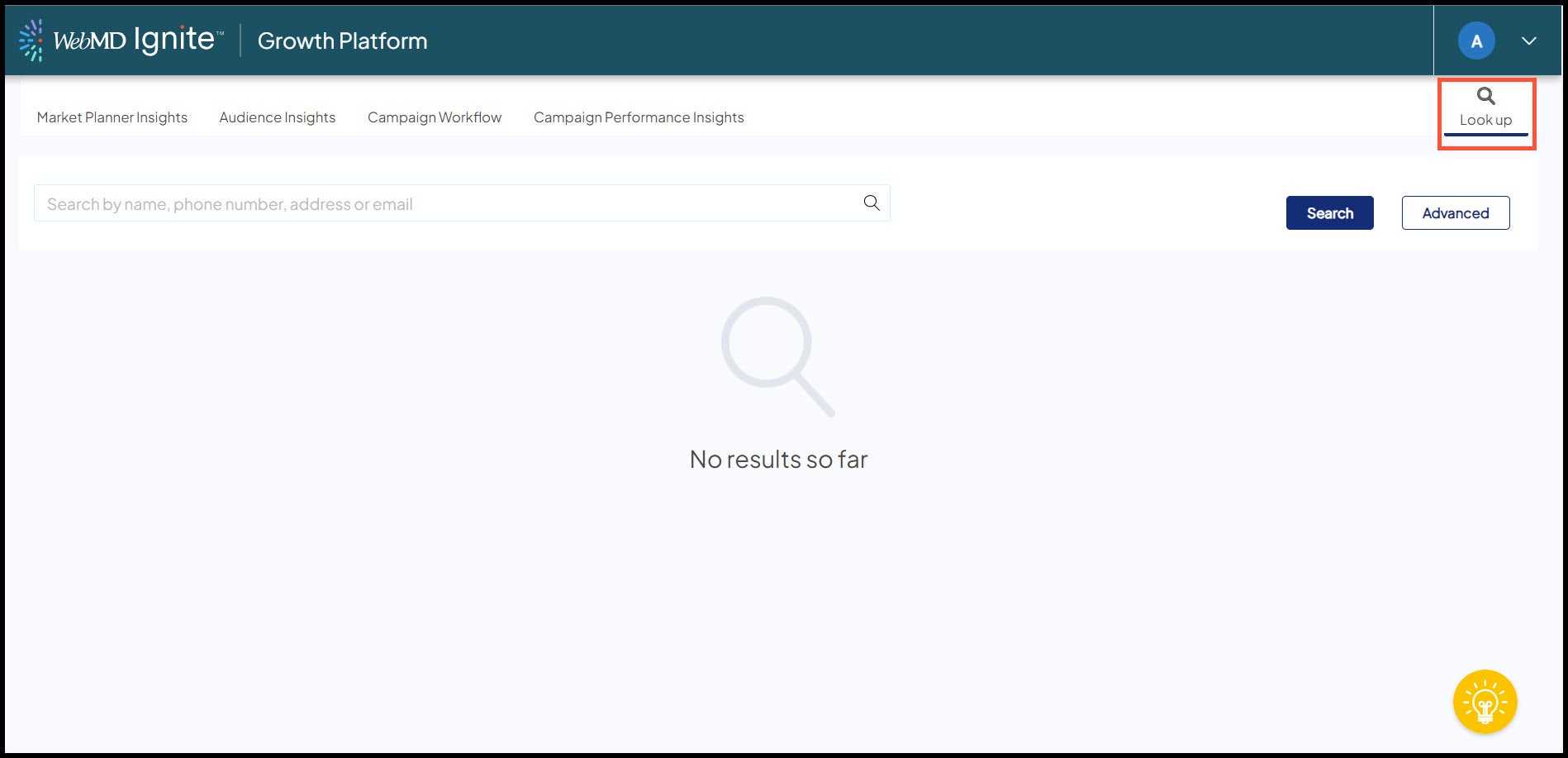
Access and use Lookup
Use Lookup to search for specific individuals in your platform. Once found, you can open the individual’s profile to view basic demographics, household information, and a list of communication activity associated with the individual.
Access to Lookup
We have 2 user roles available to govern access to Lookup and the profile, allowing for the following 3 access scenarios:
- No access to Lookup.
- Access to Lookup and to the following profile sections: demographics and household information.
- Access to Lookup and to the following profile sections: demographics, household information, and communication activity list.
We designed the roles to give your health system maximum control over your users’ access to the information contained in the profile since all sections of the profile contain Protected Health Information (PHI).
Contact your WebMD Ignite team for more information.
Search methods
Free-text, responsive search
Offers a quick and easy method to perform a search.
- Enter any combination of these key identifiers: first name, middle initial, last name, email address, phone and/or address in the Search…field.
- Press the Enter key to perform the search and view the resulting potential matches.
- If needed, add additional identifiers to your existing search and press Enter to continue to narrow the list of the search results.
- From the potential matches, select an individual to open his/her profile.

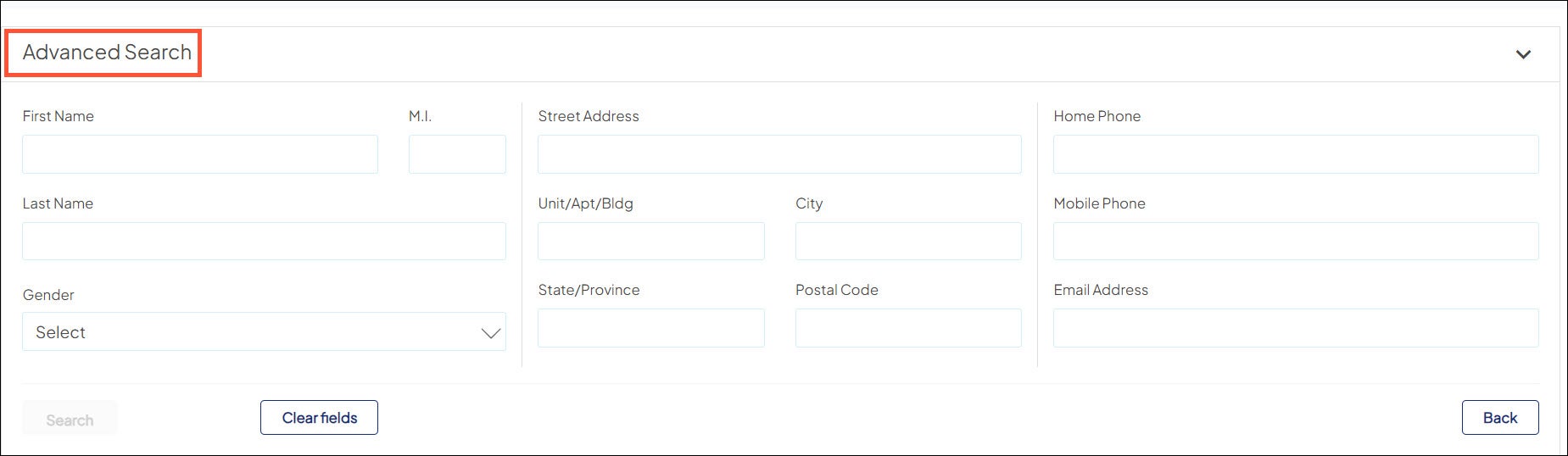
Advanced search
Offers a structured search method with an increased number of key identifiers on which to search.
- Enter any combination of key identifiers in the available fields. Includes gender and birth date fields as well as name, phone, address, and email address fields.
- Click Search to run the search and view the potential matches.
- Select an individual to open his/her profile.
Profile sections
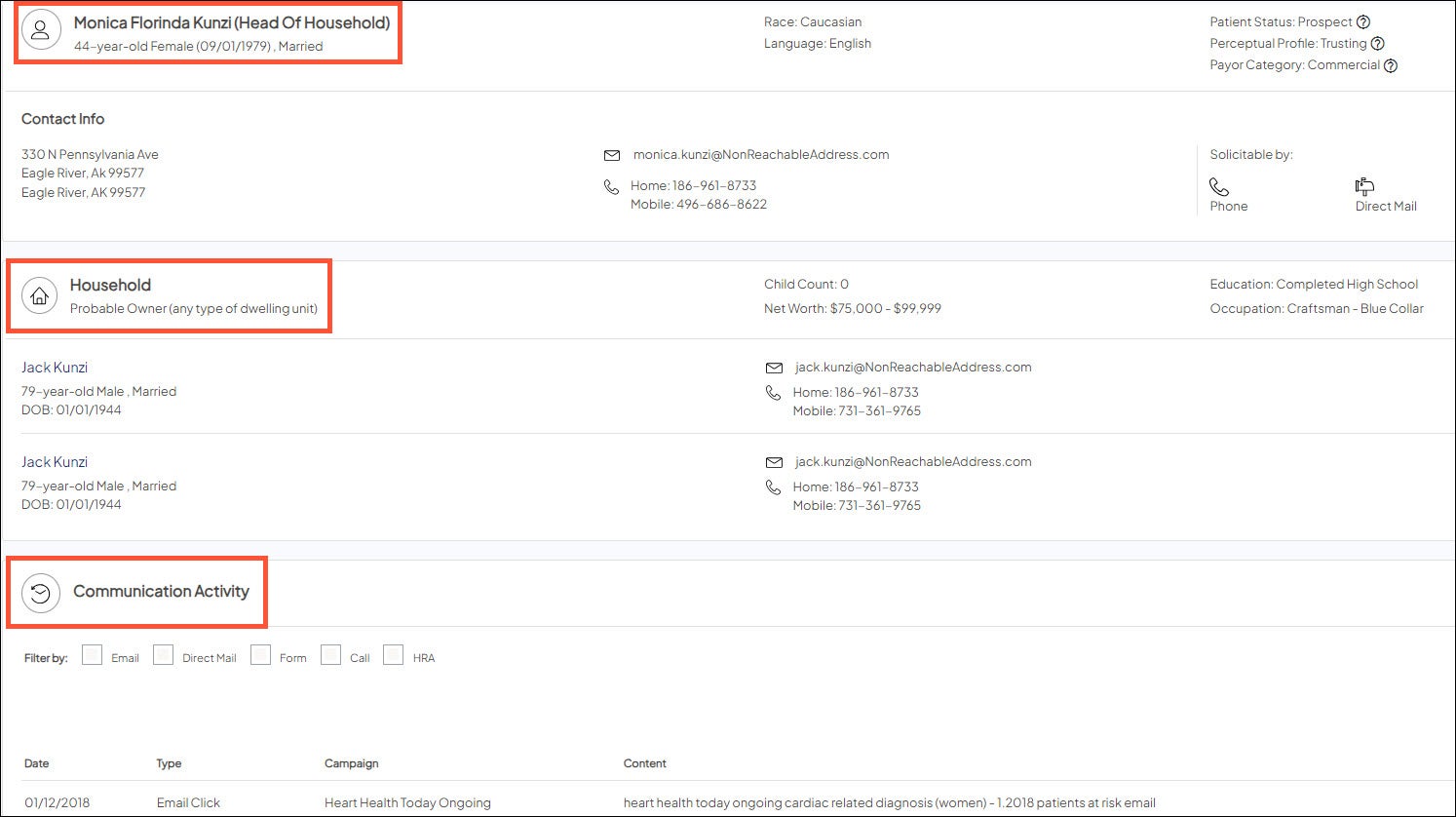
The individual’s profile contains basic demographics, household members, and a list of prior communication activity the individual has had with your health system.
Basic demographics
- Includes full name, age, birth date, marital status, race, primary language, along with contact information (i.e., email address, phone).
- Indicates household status if the individual is the head of household.
- Displays the Recency/Frequency, Perceptual Profile, and Payor Category models into which the individual falls.
Household
- Includes basic information about the individual’s household, including child count, net worth, education, etc.
- If applicable, lists all members of the individual’s household.
- Per household member, displays demographic and contact information. Click a household member’s name to open that individual’s profile.
Communication activity
- Lists the details of each communication activity associated with the individual: date, type, campaign name, and content.
- Use the check boxes to limit the list to specific type(s) of communication activity: email, direct mail, or form.
- Use the keyword search to do a free-text search for a given campaign.