Anatomy of a target audience
A target audience consists of the Overall Audience and Audience Groups which are more granularly defined subsets within it. Additionally, every target audience has a set of exclusions applied by default.
Overall Audience
The Overall Audience contains the pool of records (Mastered or Unmastered) that meet the initial set of criteria (depending on the method of creation) and any additional criteria you select. The Overall Audience can be as broad or as specific as you need. Depending on your purpose, you might even consider your Overall Audience complete and ready to send to a marketing channel without subdividing it.
Audience Groups
You can subdivide the Overall Audience into smaller, more granular groups of individuals called Audience Groups. Audience Groups allow you to further segment your audience for different marketing channels, featuring personalized messages and images unique to each group (aka versions).
Default exclusions
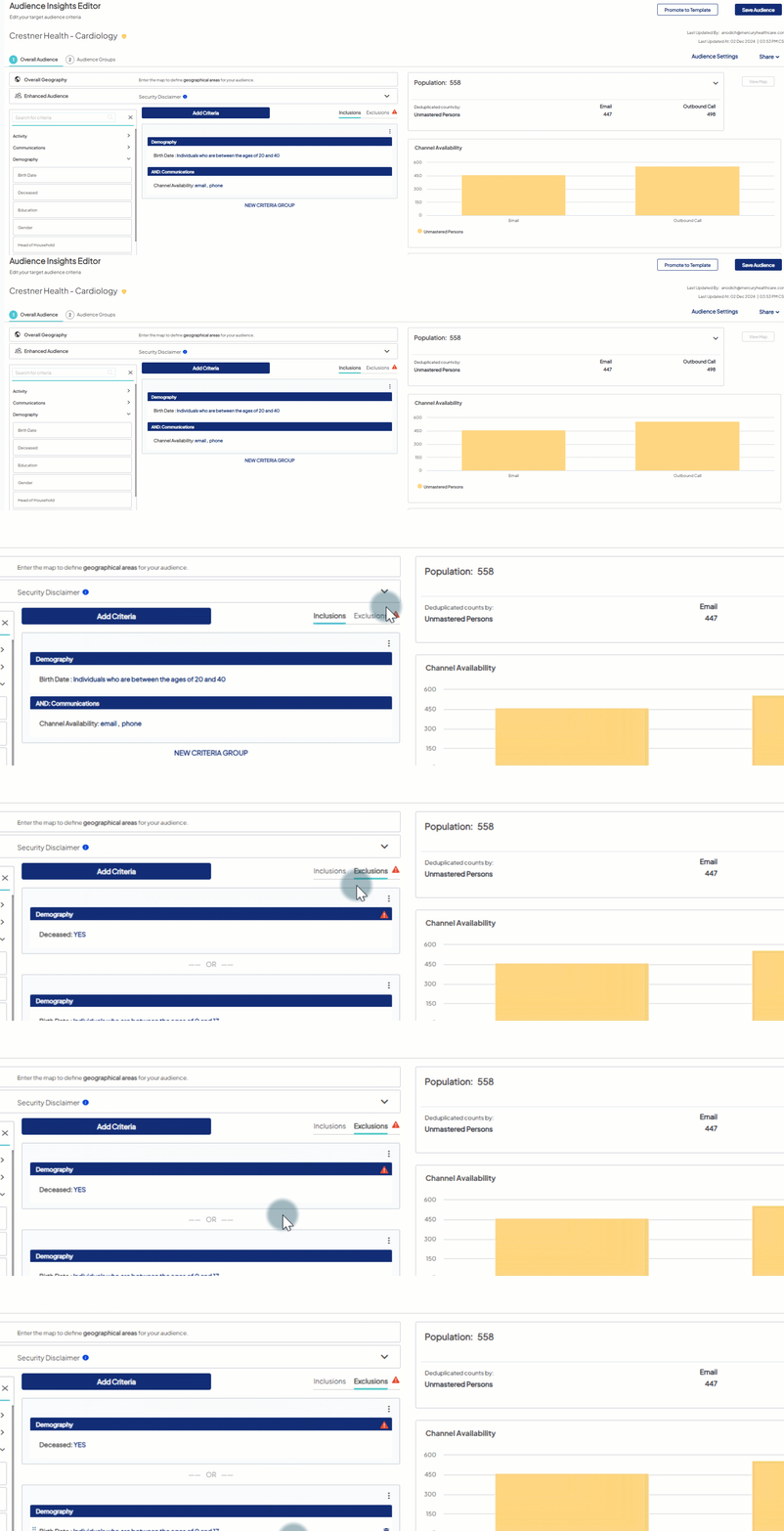
By default, every audience you create (regardless of creation method) has certain exclusions in place at the overall audience level. These default exclusions represent individuals you should regularly exclude from your audience.
The following criteria and the specified parameters are applied by default on the Exclusions canvas:
- Deceased is set to Yes to exclude individuals marked as deceased.
- Birth Date is set to exclude individuals who are between the ages of 0 and 17 since you are not allowed, by law, to market to underage individuals. Learn more about including minors in a target audience.
- Do not solicit (DNS) - individuals who have requested to not receive push channel communications are also excluded by default. If the need arises when you are required to communicate with all patients (e.g., a provider is leaving the health system), it's possible to include DNS'ed individuals - a specific user role is required to make this change. Submit a support ticket to request the role if you do not already have it assigned.
 Do not remove default exclusion criteria without careful consideration. Certain criteria ( e.g., Demographics options) are NOT applicable to unmastered persons. Learn more here.
 Best Practice
 Unmastered Persons audience ONLY: The Deceased exclusion doesn't apply to unmastered person records. To prevent the display of the "Invalid Criteria" message each time the audience is opened, simply click "Delete Criteria" (NOTE: this cannot be undone).
Mastered & Unmastered persons audience: Keep the Deceased exclusion as this will apply to the Mastered Persons in the audience. Learn more.
Learn more about direct mail, email, phone, and SMS lists here.


