Cap an audience size
When you create a direct mail list, the Cap List? option allows you to limit the size of the list so you can remain within a budget while still meeting your marketing goals.
Select one of the following options:
- No. Selected by default. You are placing no limit on the audience.
- Cap Overall Audience. Choose this option to limit the individuals at the Overall Audience level. Only available when the target audience has no audience groups.
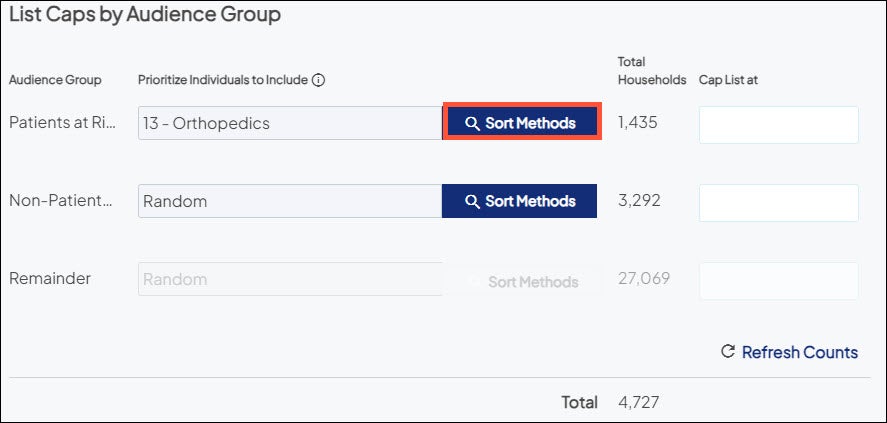
- Cap by Audience Group. Choose this option to limit the individuals per Audience Group. Only available when the target audience has audience groups.
When you select either the Cap Overall Audience or the Cap by Audience Group option, the following options expand so you can limit the direct mail list:
- Total Individuals. Indicates the total individuals in the overall audience/audience group.
- Cap List at. Enter the number of individuals at which to limit the list. You cannot enter a number larger than the total individuals in the respective overall audience/audience group.
- Prioritize Individuals to Include. By default, individuals are randomly selected for exclusion from your list in order to decrease it to the capped size. To alter the default behavior, choose Sort Methods and select one Consumer Risk model or one Patient Risk model. Individuals who qualify for the selected risk model (and their households) are then prioritized above all others for inclusion in the list.