Delete a campaign
You can delete a campaign that has yet to begin and therefore has no communication activities recorded for it.
When you delete a campaign, all attached target audiences are also deleted. To save an attached audience from deletion, detach the audience from the campaign.
- Go to Campaign Workflow.
- On either My Campaigns/All Campaigns, open a campaign that has yet to begin and that you want to delete.
-
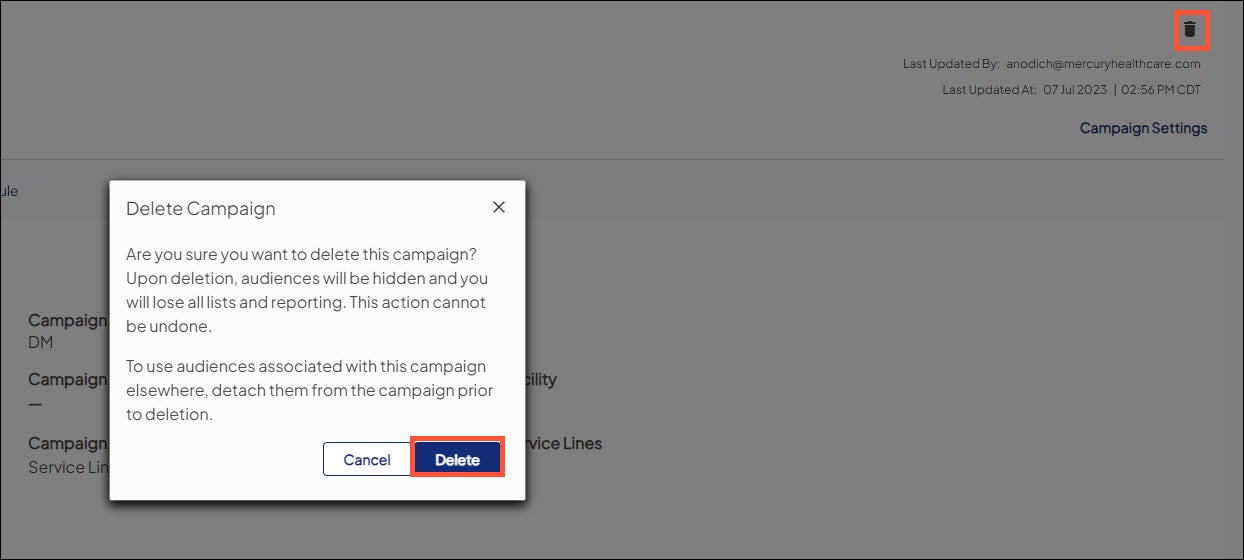
In the campaign header, choose the trash can icon. When prompted, choose Delete. If the trash can icon does not display for a given campaign, then that campaign is considered as having begun and you cannot delete it.
A campaign is considered as having begun if you've done any one of the following actions for it:
- Sent an attached audience to marketing automation.
- Created a direct mail list and entered a sent date for any audience attached to the campaign.
- Created an outbound call list and entered a sent date for any audience attached to the campaign.
- Specified an external source ID in Tactics & Tracking.

