Export a direct mail list
- On the Overview tab in your selected campaign, scroll to Target Audience.
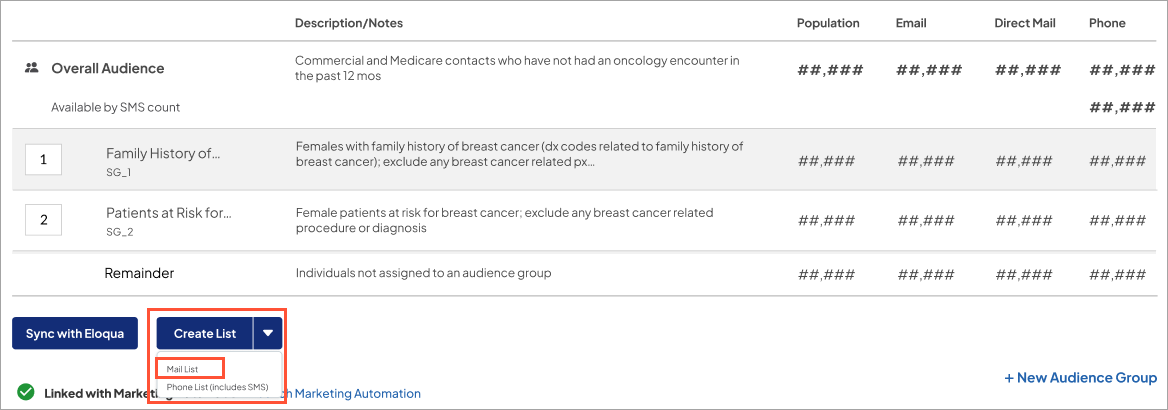
- Select Create List > Mail List for the target audience you want to create a direct mail list.
-
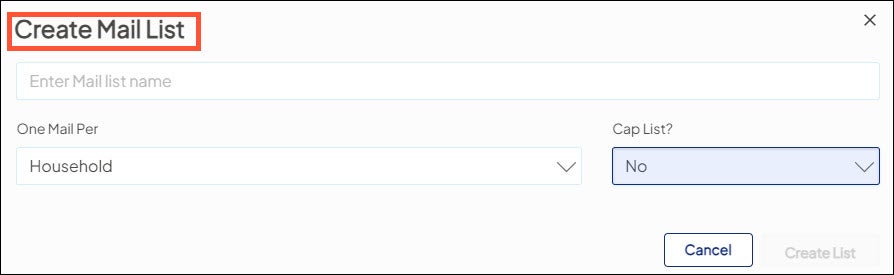
Enter the following information:
- Name of list: free-text field
- One Mail Per: Choose from the following:
- Household: (the default setting), one direct mail piece is sent per household even when multiple individuals on the list share household membership.
- Individual: one direct mail piece is sent per individual in the list regardless of shared household membership.
-
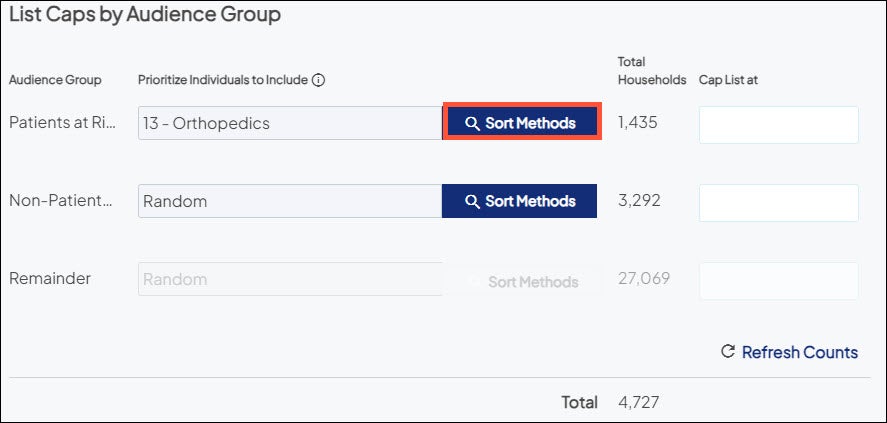
Cap List? Allows you to limit the size of the direct mail list (you may want to do this for budget purposes).
-
Select Create List to generate the mailing list. When the list is complete, it displays in the List History of the target audience.
-
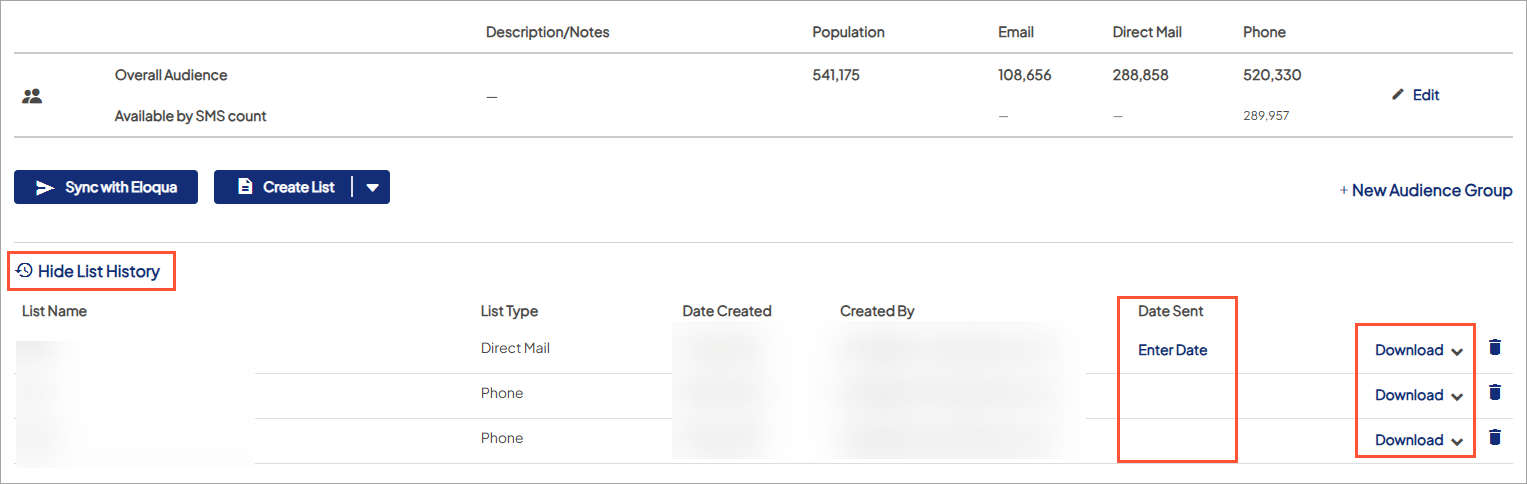
Expand List History where you can:

- Download the mailing list to a CSV file (to send to a 3rd party mail house.
- Download the Demographic Report to evaluate the demographic details of the individuals (or households) included in the mailing list.
- Enter Date when the direct mail is sent to the target audience. The Date Sent is when Ignite Growth Platform begins tracking the audience for responses.

Once the date is entered, it cannot be changed or removed.