When defining campaign strategy, your platforms supports consumer and patient engagement across various channels. Consumers and patients may have opted out (e.g., unsubscribed) from one or more channels (vs. globally unsubscribing to all messages). By utilizing the Channel Availablity criterion under Communication, you're able to communicate and engage with individuals via the channels for which they are solicitable and also have the opportunity to customize messages by channel.
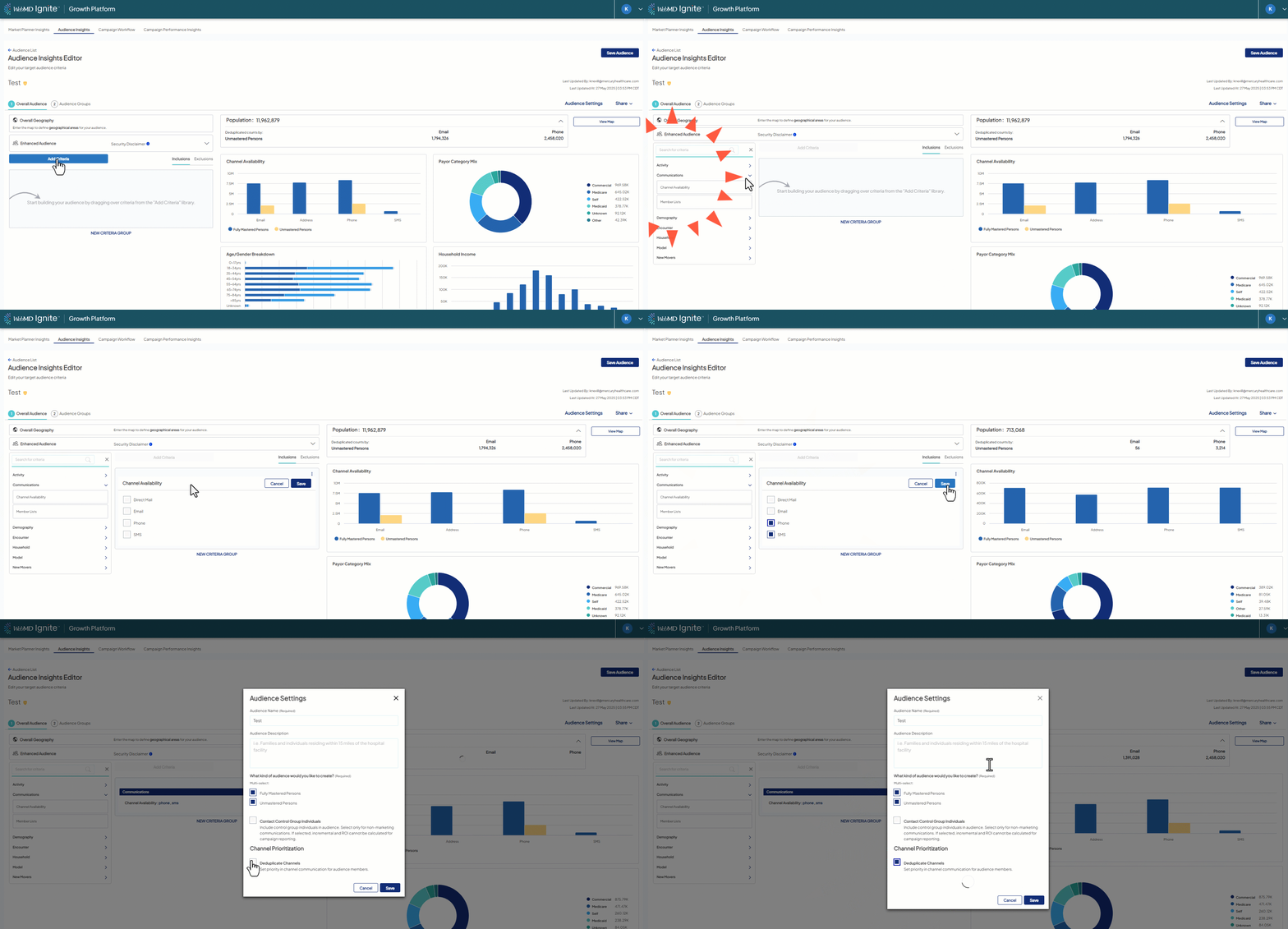
- In Audience Insights, Communication > Channel availability, select one or more channel to include individuals who are marked as solicitable for the channel(s)
- Available options:
- Direct mail
- Phone
- SMS
- Available options:
- Continue to build your audience by applying additional criteria filters.
-
Prioritize and deduplicate by channel in Audience Settings, if needed (learn more).
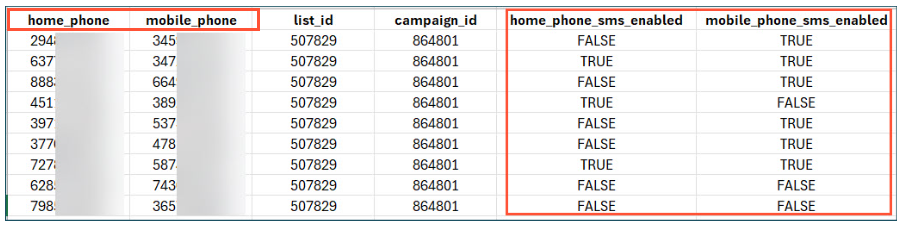
 Note:If messages are versioned by channel, use Audience Groups to separate out by the specific channels. REMINDER: if an audience includes phone and SMS channels, the exported list will include both numbers for the contacts (if available) along with a field identifying if the numbers are SMS enabled (see screenshot below and full list of list fields can be viewed here).