Control group methodology
As a marketer sharing campaign reporting with stakeholders, you’ve likely been asked: How do we know those people wouldn’t have come in anyway?
WebMD Ignite’s control group methodology provides the answer—attributing activity directly to your push channel marketing efforts (email and direct mail) and giving you credit for campaigns’ success.
How the control group is created and maintained
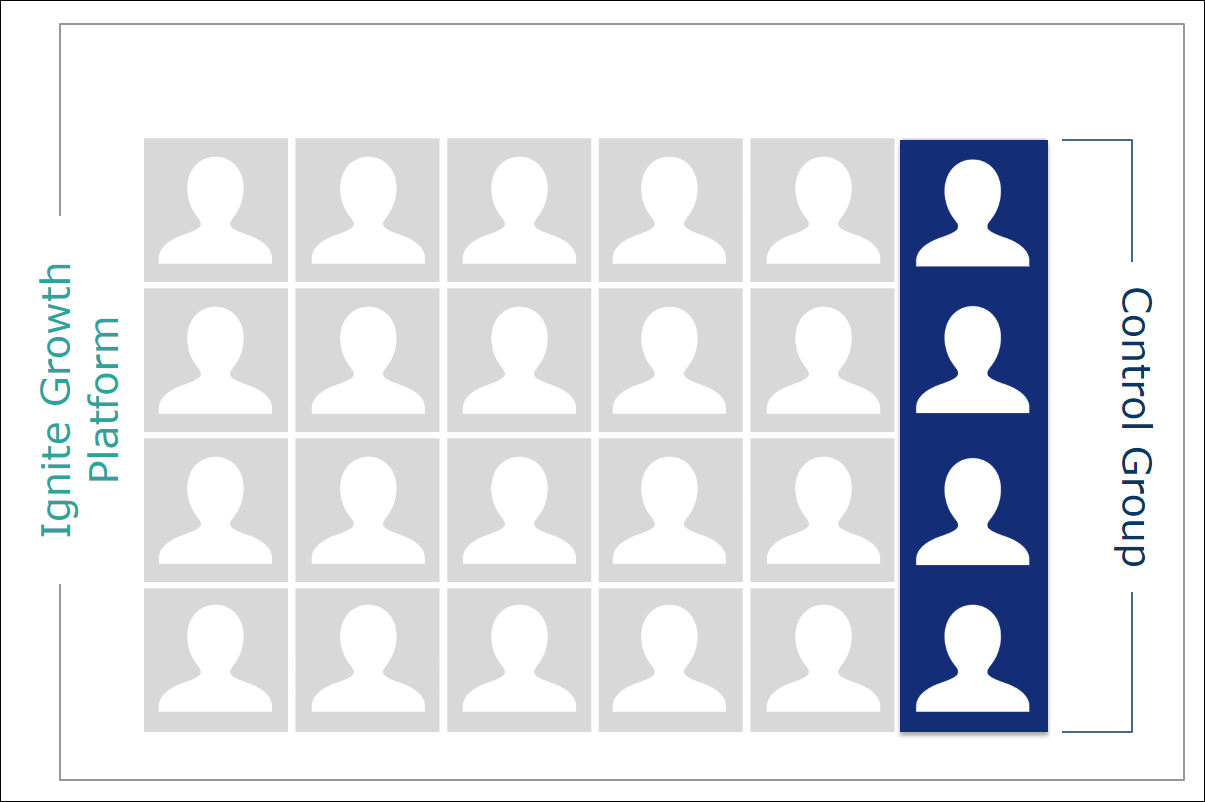
When your data was loaded into your application during implementation, 10% of the records (patients and consumers) were automatically assigned to the enterprise control group. The enterprise control group is demographically comparable (patient/non-patient, gender, age, and geographic location, as well as risk level) to the individuals across the database who are not in the control group.
When additional data is loaded to the database, the same process occurs—patients and consumers are automatically assigned to the control group to ensure it remains at 10% of the total database.
The control group is always assigned at the household level. Once the control group individuals are identified and assigned, they remain in the control group.
This occurs even when campaigns are not being executed in Ignite Growth Platform.
The campaign message is withheld from the control group so their activity can be compared with the activity of the reach group’s behavior; thus determining if your communication had an impact on the reach group's behavior. Let's learn more about the control group when a campaign is created in the platform.
What the control group is used for
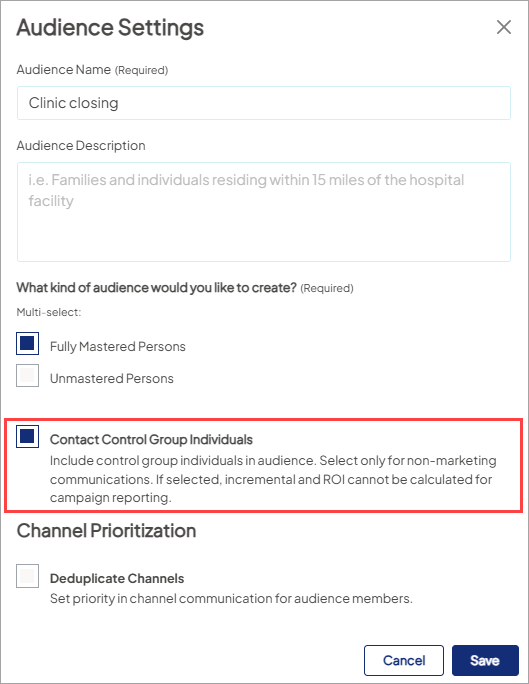
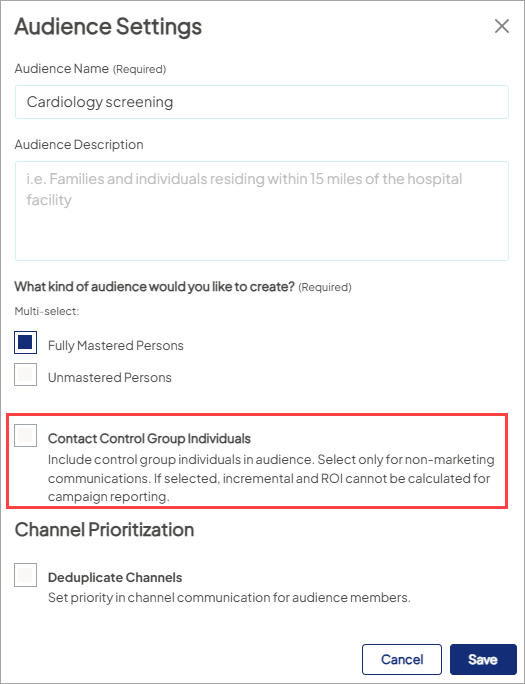
When ROI reporting for your marketing campaigns, control group methodology is used as part of the calculation. In Audience settings, when first creating an audience, there’s an unchecked box next to “Contact Control Group Individuals” - this is the default setting and supports ROI reporting.

When a campaign launches and you populate the "Sent Date" field, the control group is identified, they do not receive the campaign's message, and their activity is tracked in the same way individuals who received the message are tracked - based on the campaign objectives. The control group’s activity is then compared with the activity of the reach group. This comparison shows if your campaign’s messaging had an impact on the reach group's behavior.
Control group methodology in action
Let’s walk through the methodology in more detail.
Your platform, from implementation to now, is made up of ~90% Mastered Persons records and ~10% control group records.
When you’re creating your target audience for a specific campaign, individuals meeting your criteria are pulled into the audience for targeting. For direct mail channels, when the "Sent Date" field is populated, 10% of the total targeted number is identified from the control group and tracking of their downsteam activities begins. For email channels, the 10% control group is identified and tracking begins when the email is sent out of marketing automation.
So Ignite Growth Platform campaign audiences are made up of the reach group and control group, with one key difference: the reach group will receive your campaign communications; the control group will not receive communications.
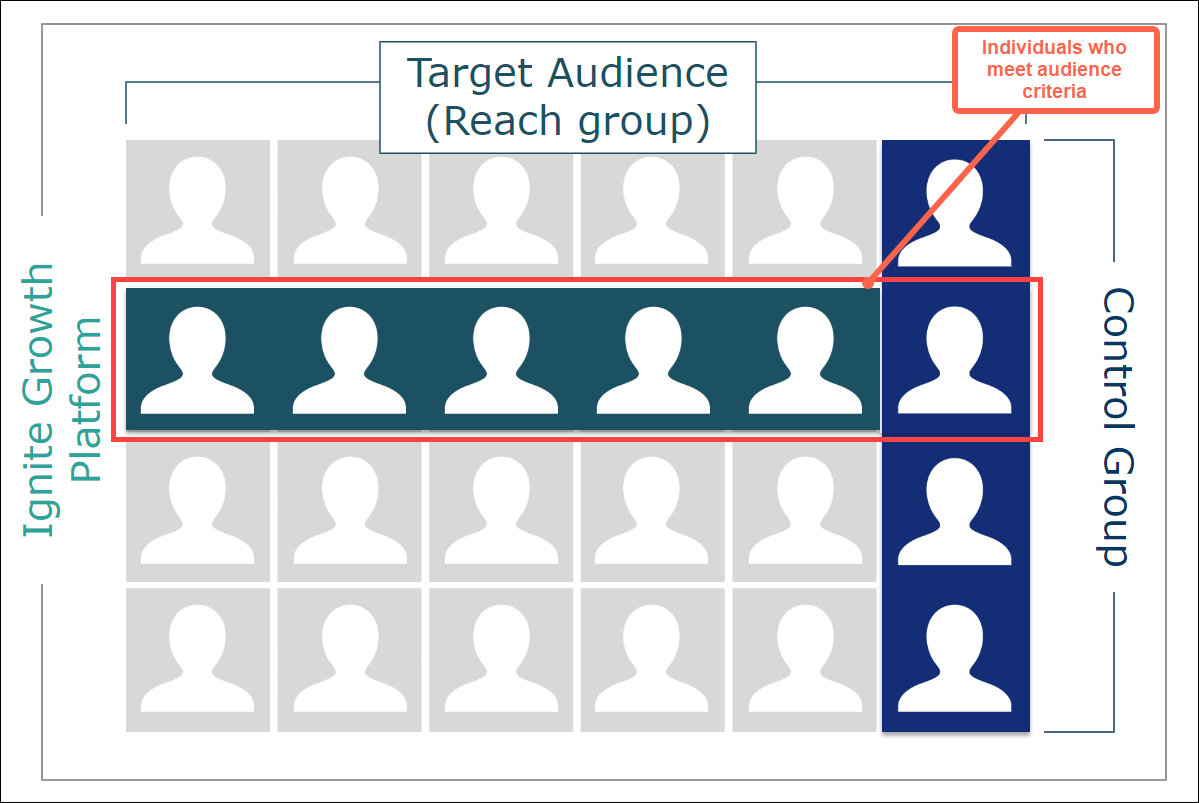
The reach and control groups may see the campaign message in pull channel mass marketing like social media, TV, or billboards, but only the reach group will receive the direct mail and/or email message executed from Ignite Growth Platform.
The platform then tracks downstream activity for both the reach group and control group. Because the groups have been isolated, and because the control group didn't receive the communication, their utilization can be used to determine how many in the reach group would have likely come in even if they had not received the communication.
And the reach group utilization above and beyond the control group utilization is what can be taken credit for - the reach group utilization that exceeds the control group utilization occurred because you sent a marketing message to the reach group.
Impact in campaign reporting
You can see the control group methodology at work for a given campaign in the ROI Dashboard tab under Attributed Patients.
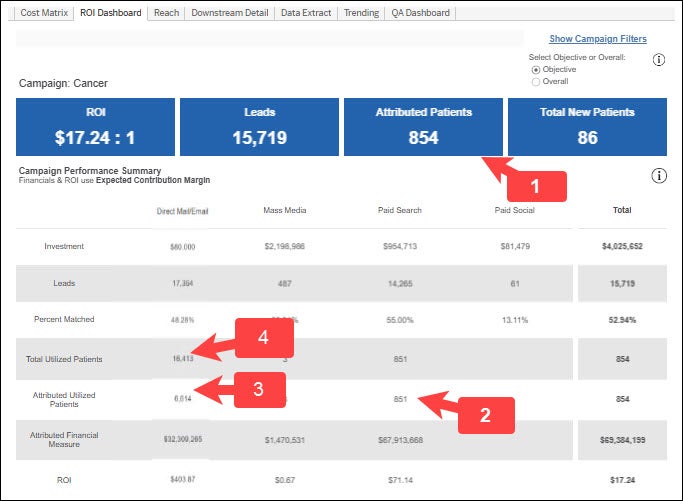
- Attributed Patients: Number of patients the campaign can take credit for - these are over and above how many would have come in anyway.
- 100% credit for digital (pull) channel attribution is taken because these individuals have expressed interest in services by calling or completing a call-to-action such as a form or HRA. So, Total and Attributed patients results will be equal.
- For push channels (direct mail/email), we first remove any individuals that made a phone call or filled out a form. This “hand-raising” behavior means their utilization gets attributed at 100%.
- The remaining attributed patients in push channels are calculated through the control group methodology, and you’d expect to see different numbers in total and attributed.