Aggregate Reporting: FAQs to hit the ground running
Categories: Ignite Growth Platform, Aggregate Reporting
Your new multi-campaign insights are here, and we’re ready to help you dive right in. Below are answers to common early questions to help you get familiar with the tool and make the most of your aggregated performance views.

General
What is the maximum number of campaigns I can aggregate?
You can group up to 20 individual campaigns into a single report, which allows for robust views based on your chosen criteria while maintaining peak performance. If there are use cases where you need to exceed this number, we’d love to hear from you as we continue to enhance the module.
Can I still access Campaign Performance Insights?
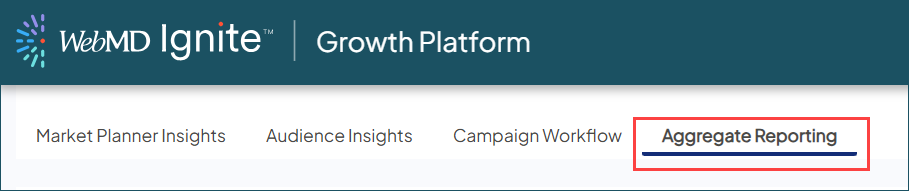
Aggregate Reporting has officially replaced the legacy Campaign Performance Insights module, with a new tab in the same location. This new module gives you a more dynamic, user-driven tool to see your combined insights, leveraging our latest reporting methodology.
Data & methodology
Are patients counted more than once if they're in multiple campaigns?
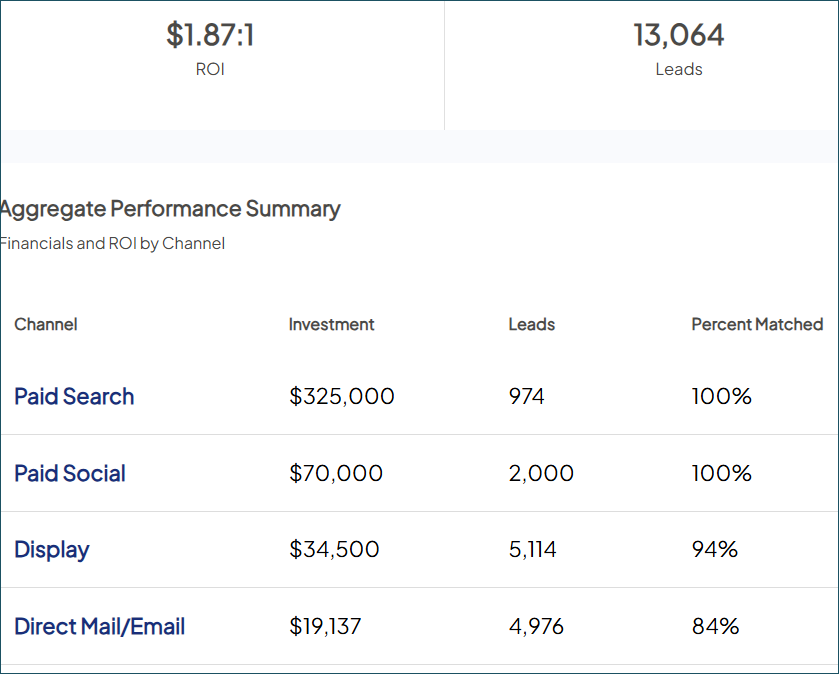
The platform uses advanced attribution logic to ensure downstream patients and financials are only counted once across the aggregate, even if they interacted with multiple campaigns. Because each individual is counted as one unique patient, your aggregate totals provide a more accurate picture of impact rather than a simple sum of individual campaign KPIs.
If patients are deduplicated, why does my Total Leads count look like a simple sum?
While unique patients and downstream clinical impact are deduplicated across campaigns, leads are treated as a summation. This ensures you can see the total volume of all marketing engagements across your entire group, even if those engagements were generated by the same individuals.
Why does the platform use "Age at Time of Earliest Contact"?
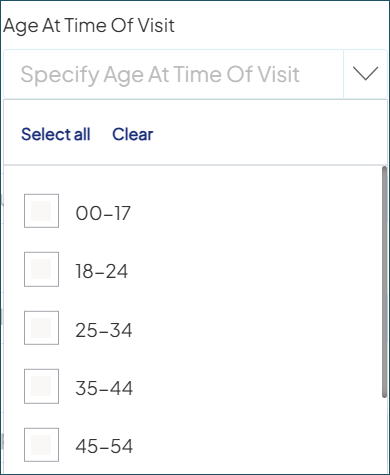
This age calculation logic ensures a true distinct count for ROI reporting. For example, by keeping a pediatric patient in their original age bracket even if they turn 18 during a multi-year campaign, we prevent them from being counted twice — maintaining the integrity of your conversion rates.
Using the tool
How do I update my report with the latest data?
Aggregate reports are static snapshots captured at the moment you click Save and Run. To see the latest activity, simply select Run/Refresh from the List View. This will re-run your multi-campaign report but with any updated settings or data.
View of options in the ellipsis when the report has been Saved but not yet Run:
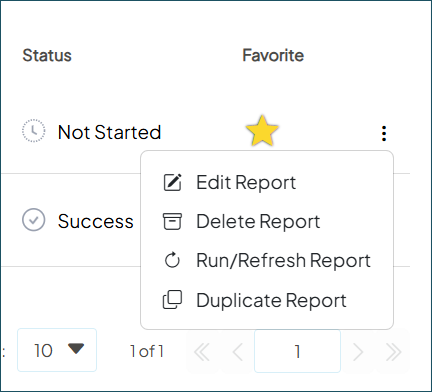
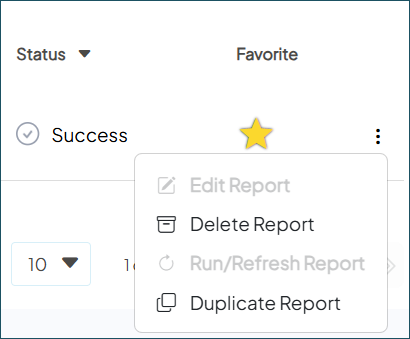
Once you have successfully Run your report one time, you have the option to Duplicate Report. Here is a view of options in the ellipsis after the report has successfully Run:
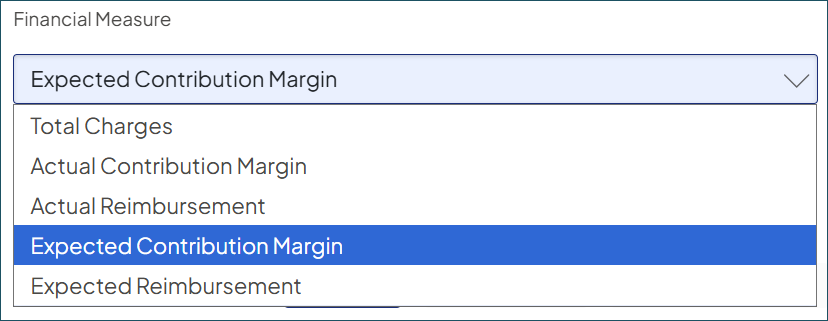
Can I use multiple financial metrics (like Total Charges and Expected Margin) in one report?
No. To maintain data consistency across all campaigns in your group, each aggregate report focuses on a single financial measure. This ensures your performance insights are aligned and comparable across the entire selection.
I noticed a message at the bottom of my list that says “Maximum of 3 reports can be Run/Refreshed at one time”. Is 3 my total limit?
No, there is no limit to the total number of Aggregate Reports you can create. The limit of three applies only to reports with an In Progress status. This ensures optimal speed and performance for all users. Most reports are ready within minutes and can be opened instantly once generated.

What’s next
Will you be adding more enhancements?
Yes! This release is just the beginning. We’re already working on a variety of updates, including new export options, financial measure defaults, campaign-level summary reports, and more. Have a specific request? Reach out to your Account Manager and help shape our roadmap.


