
Excited to be back with our new Ignite U newsletter! To kick things off, here’s an update worth noting: Microsoft (Outlook, Hotmail, Live) has updated its bulk sender email requirements, joining Google and Yahoo from early last year.
You might have questions about what this means for your email campaigns. Since we already put in the work to get compliant with SPF, DKIM, and DMARC when these rules first rolled out, you should be all set. Just keep these extra tips from Microsoft in mind — and how to apply them in Eloqua:
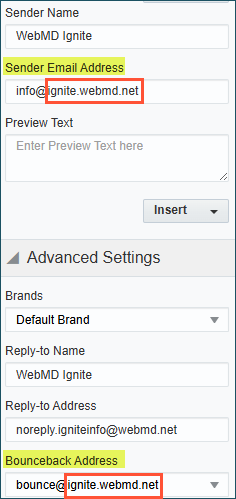
- Ensure your From address is valid. Not sure how to check? Look at what comes after the @ in your bounceback address. If it matches your sender address, you’re good to go.
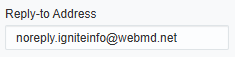
- Check your Reply‐To address. Specifically, ensure it’s set up to receive replies. Don’t know where those go? Check with your IT team. The default Reply-To address was set up when your Eloqua instance was created.
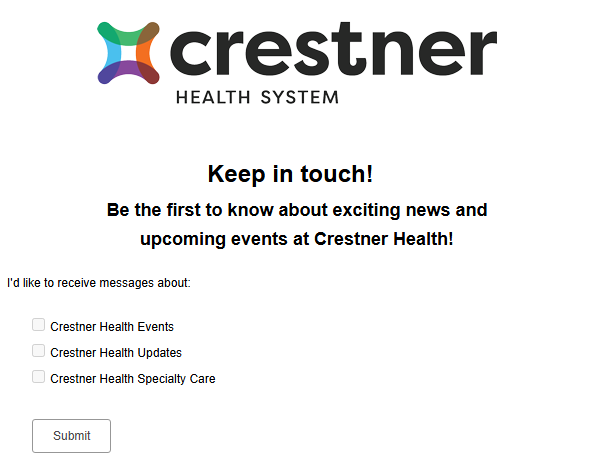
- Include unsubscribe links. Give recipients an easy, visible way to manage the emails they receive, and ensure recipients have opted in to your messages. Sign-up forms and preference centers are a great way to get consent, let contacts choose the emails they want, and track interest in different topics. For help getting started, check out our subscription management course.
- Remove invalid addresses regularly. This reduces spam complaints, bounces, and wasted messages. Use filters in your segments to exclude contacts who’ve received at least one email but haven’t opened any.

- Use accurate subject lines. It’s tempting to craft catchy subject lines to boost opens, but make sure they reflect what’s actually in your email and avoid spam words.
Got a hot topic for Ashley to tackle? Submit it now for potential inclusion in an upcoming Ignite U issue!


