Refreshing
The report captures a snapshot of data at the moment you click Save and Run. To see the latest activity, you must refresh the report.
Exporting
Click the download icon at the top right of any report page. You can choose to export:
- Current tab only
- All tabs – ROI, Reach, Downstream, and Trending
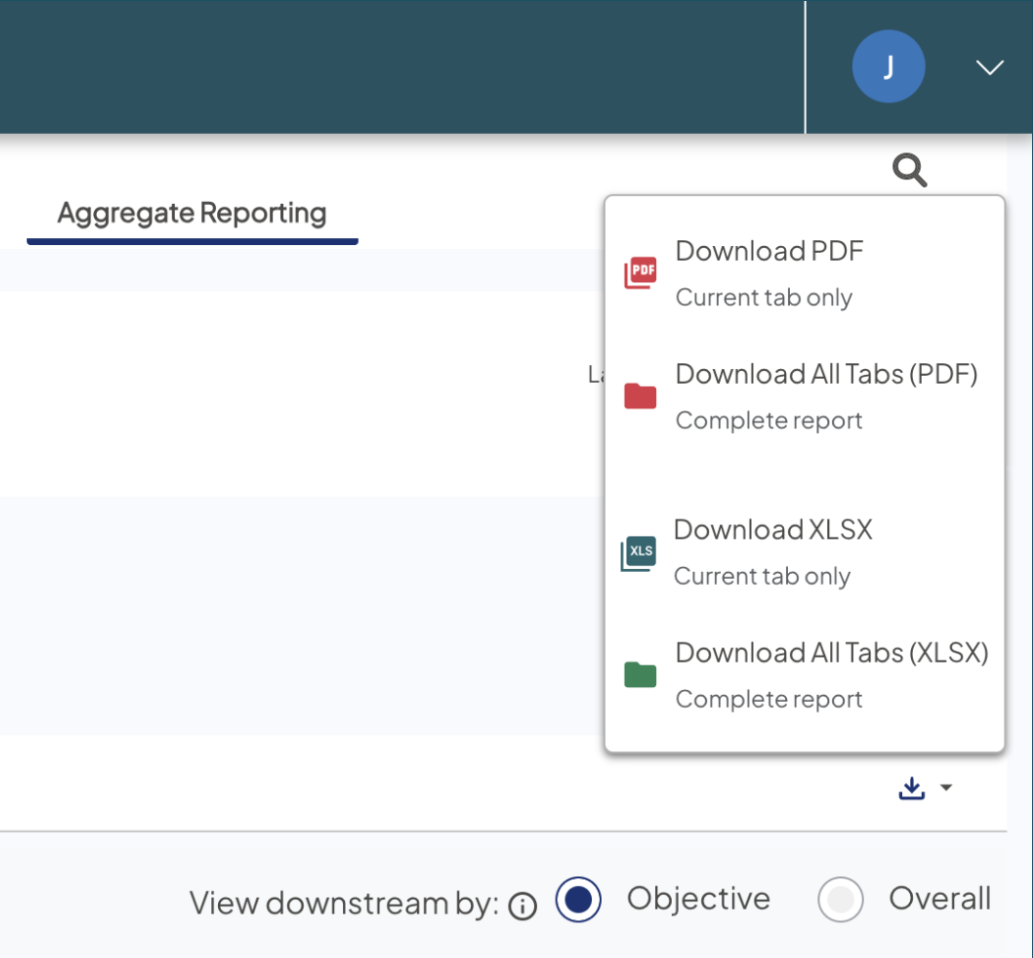
PDF Download
Export rendered charts and report data into a single, well-formatted document.
- Comprehensive export: Includes all selected tabs in one PDF.
- High-fidelity rendering: Charts captured as high-quality SVGs or images.
- Snapshot accuracy: Zoom or set a specific map view, and the PDF captures that exact view.
XLS Download
Export tables and metrics into a multi-tab spreadsheet for deeper analysis.
- Row-level detail: Gives you flexibility for custom offline analysis
- Summary tab included: Every XLS export includes a dedicated sheet with overall and objective criteria
- Analyze your way: Build pivot tables, combine with internal models, or explore trends across tabs.
Other help content
Read more
 Ignite Growth Platform
Read more
Ignite Growth Platform
Read more
Ignite Growth Platform
FAQ: In the Recency Frequency bar chart in Consumer Profiler > Patient History, why do I see results for Prospects since they either won't have any visits in the past 3 years or any visits ever?
QuestionIn the Recency Frequency bar chart in Consumer Profiler > Patient History, why do I see results f...

