Add campaign costs
In a campaign's Cost Schedule, you must add what your health system invested for each tracked channel. The costs, by channel, are then aggregated and averaged to measure performance in Campaign Reporting.

If you don’t enter your campaign costs, ROI and other financial effectiveness metrics can’t be calculated. Reminders are displayed in the platform to ensure you get the reporting you need.
Add your costs
- Go to Campaign Workflow.
- In either the All Campaigns or Favorites tab, click the campaign name to open it.
- On the Overview tab, click Cost Schedule to scroll to that section.
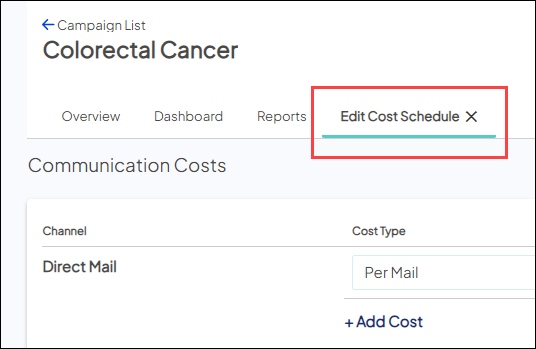
- Click Edit Cost Schedule to open that tab.
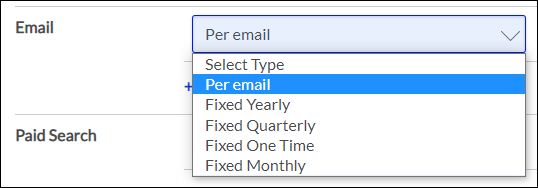
- Per Mail: Available only for Direct Mail
- Per Email: Available only for Email
- Per Minute: Available only for Outbound Call
- Per Call: Available only for Outbound Call
- Per SMS Text: Available only for SMS Text
- Fixed Yearly
- Fixed Quarterly
- Fixed One Time
- Fixed Monthly
- Cost Per Mille (Fixed): Available only for digital channels, and currently only for use by Ignite Activation Agency strategists in managed campaigns. Ask your Account Manager for more details on those services!
You can add costs for all channels where you’ve set up tactics and tracking and used the trackable URL generated by Ignite Growth Platform in your marketing message. See the full list of supported channels.
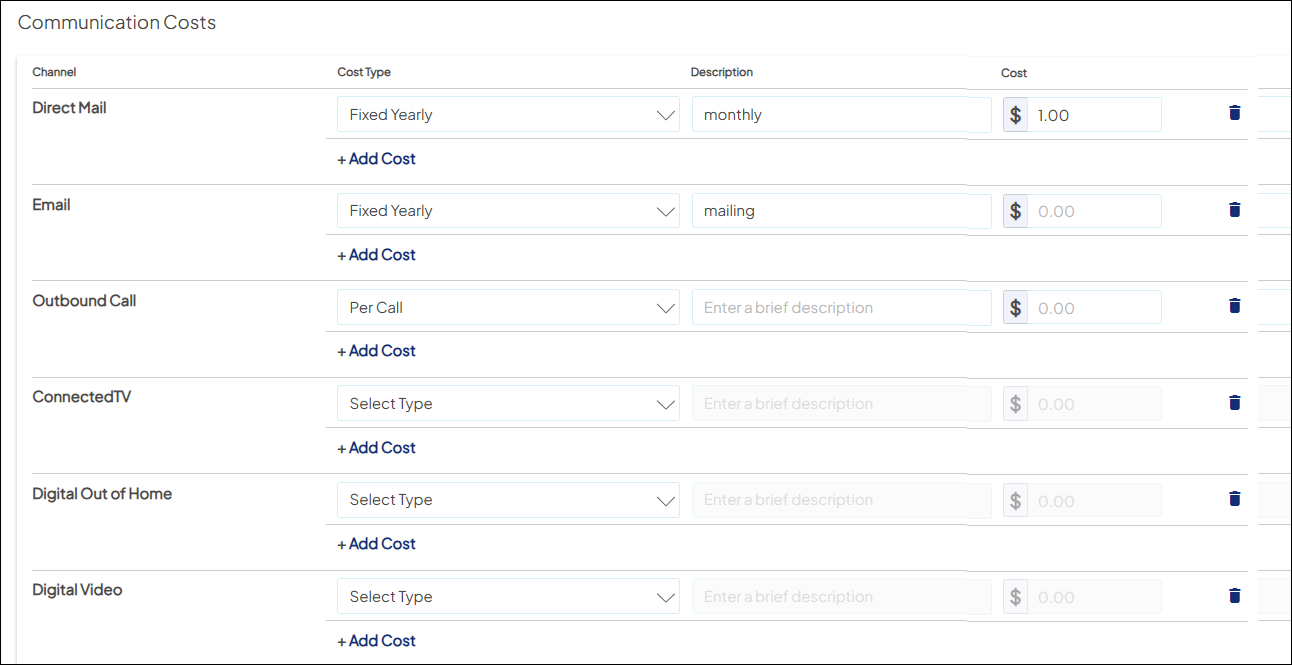
- For each of the tracked channels, select one of the following options in the Cost Type dropdown:
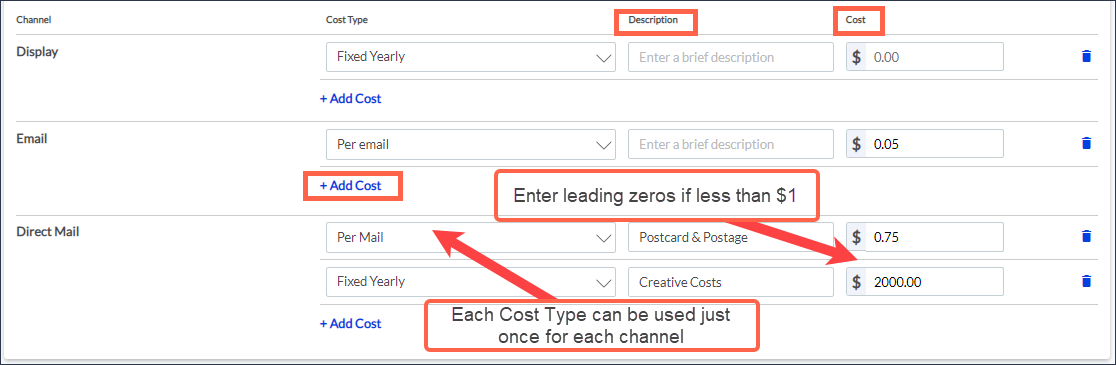
- For the selected Cost Type, enter the following:
- Description. If desired, enter free-text to describe the cost in more detail.
- Cost. Enter the amount your health system paid to execute the campaign for the channel and cost type.
- For all channels, consider adding any creative costs.
- For direct mail, consider including postage.

To specify amounts that are not round dollars, enter leading zeros and/or decimals (for example, '0.05' or '1.25').
To add another Cost Type for the marketing channel, choose +Add Cost and repeat steps 5-6.
- Click Save.
- Click Edit Cost Schedule to exit edit mode.