Market Areas
Market Areas are custom service areas comprised of ZIP codes defined by your organization.
You can leverage these areas throughout Ignite Growth Platform, including to:
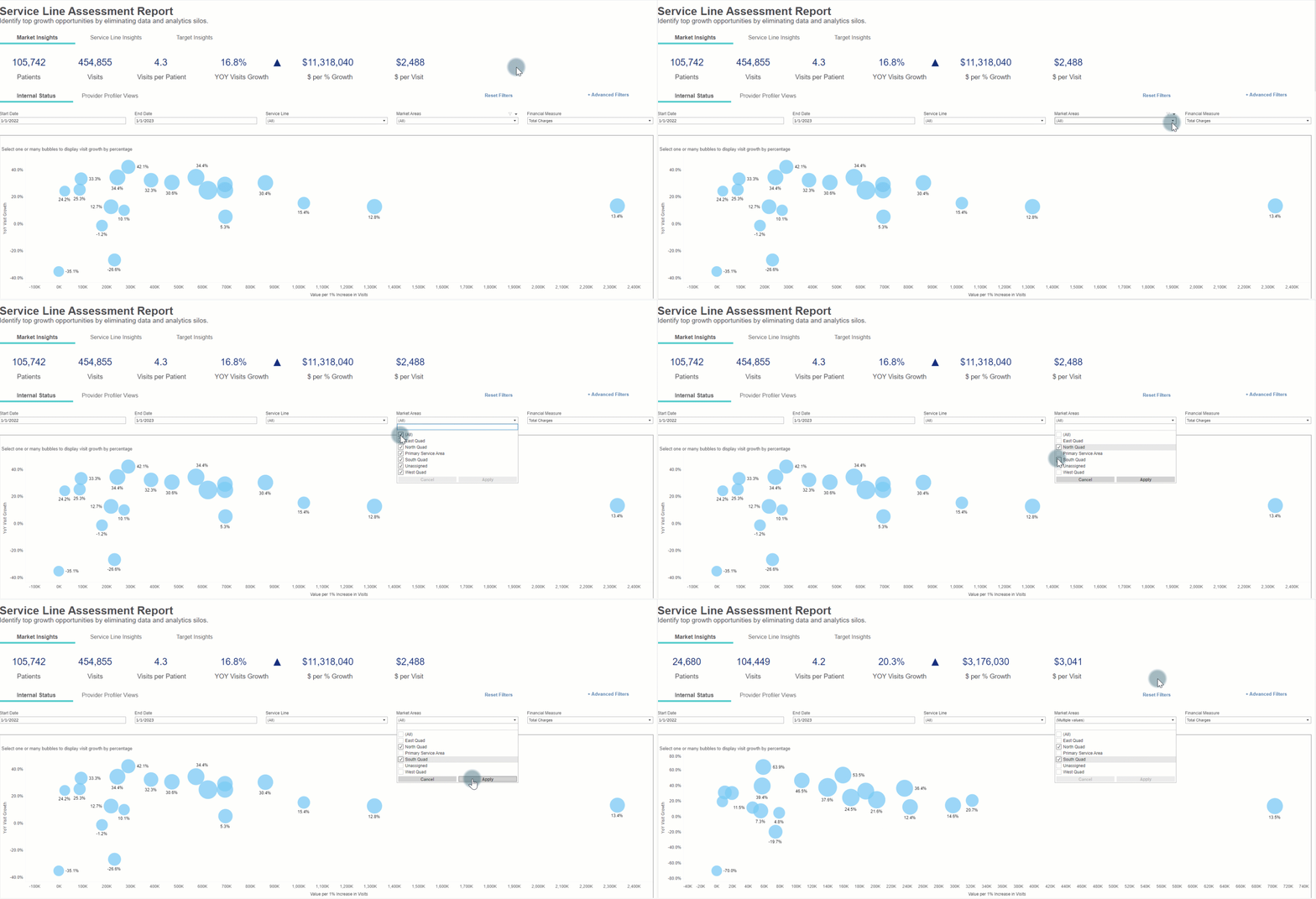
Analyze your population:
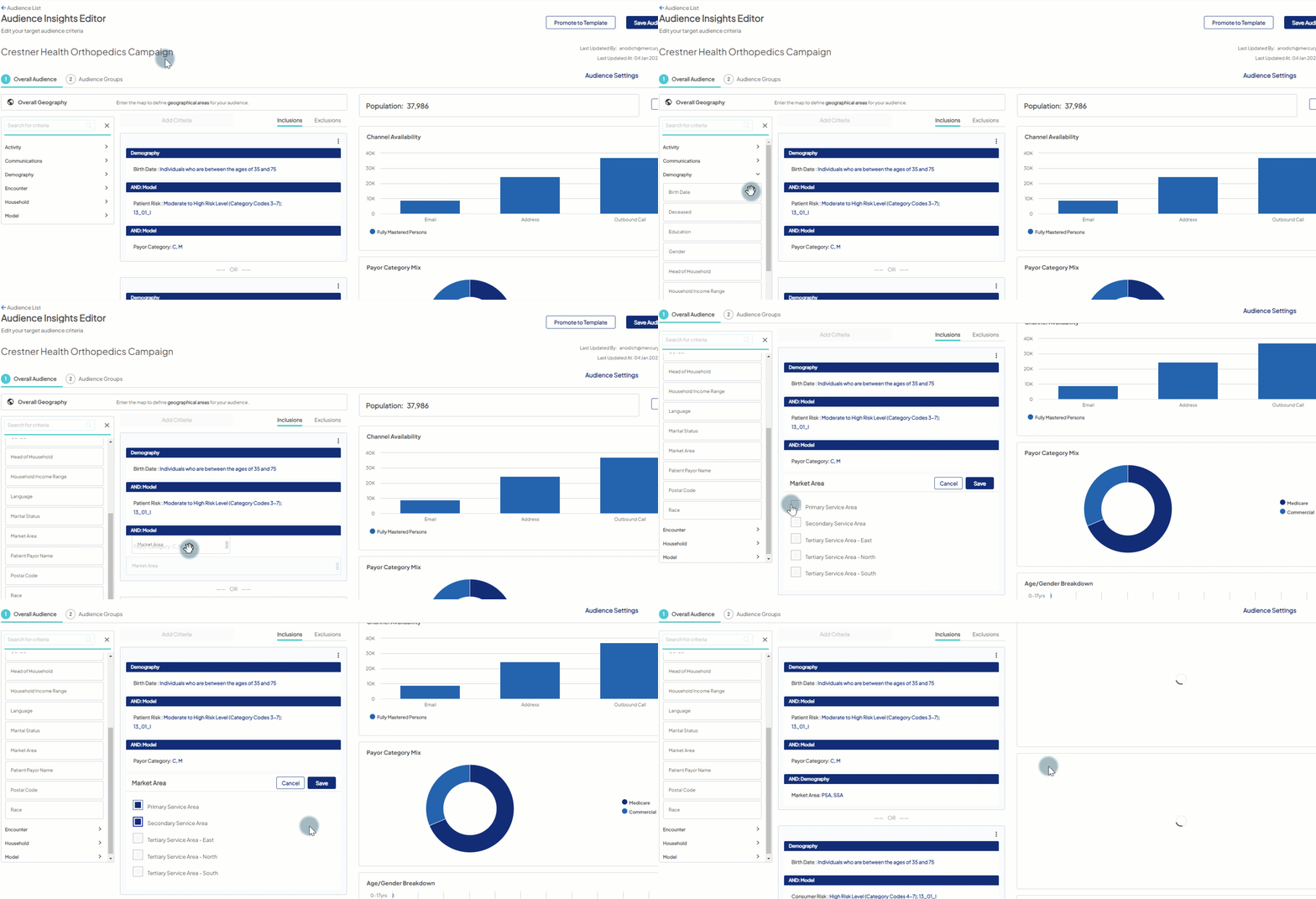
Create target audiences:
Export lists:

Implementation of Market Areas
During the initial Ignite Growth Platform implementation, market areas will be implemented during the Consumer Data Load.
Market Areas ZIP codes can differ from the Consumer Data ZIP codes.
Market Areas should represent the geographical areas you wish to consider differently in their marketing activities. Consumer Data Load are the records we load for a geographical population and enhance patient records AND identify non-patients.
An example using Market Area(s) might be; You want to create a tertiary Market Area that includes geography on the fringes of where patients will travel from, but it may not be useful to pay for data on those consumers that live so far from our facilities.
Your organization will be asked to provide Market Area definitions template to inform WebMD Ignite on how to set these up on the Ignite Growth Platform.
Modifying Market Areas
Modifications can be made to Market Areas after implementation, but it's important to know how those changes can affect audiences, dashboards, and reporting.
Impacts
- When you remove or add zip codes to a market area, you should expect any audience, dashboard, or report that includes that market area will change once it has been synced again.
- Due to these impacts, we suggest that your organization carefully consider how often you update market areas.
Some reasons for updates to Market Area(s):
- Remove ZIP codes from Market Area(s)
- Additional ZIP codes added to Market Area(s)
- Updating Market Area name
- Adding new Market Area(s)
Any of the updates below require a support ticket to be submitted:
- Adding new Market Areas
- Removing Market Areas
- Changing names of Market Areas
- Changing Market Area ZIP Codes


