Ask Ashley: How to send smarter and keep your syncs snappy
March 23, 2026Categories: Ignite Growth Platform, Marketing automation

Hi, there! This month, I’ve got some advice on how to keep your emails landing in inboxes and your audience syncs running like a well-oiled machine.
Let’s talk logistics: Why "hours" are better than "days"
We’ve noticed a few Eloqua campaigns using the Send Over Days setting for big sends. While it sounds simple, it actually creates a bit of a "tidal wave" effect. If you send to 500,000 people over 3 days, Eloqua drops a massive batch of 166,000+ emails all at once each morning.
Pro tip 1: Switch that setting to Send Over Hours.
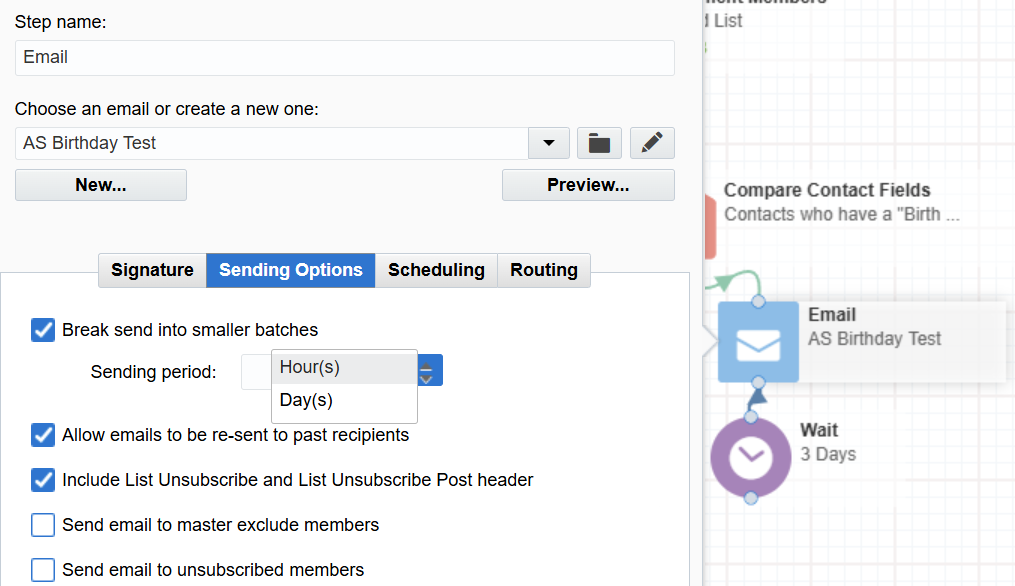
If you take that same 500,000-person list and set it to send over 72 hours, the system sends out a steady stream of about 7,000 emails every hour.
Why does it matter? Spam filters love consistency and hate giant spikes. Sending hourly mimics natural human behavior, which keeps your sender reputation sparkling clean and helps you steer clear of the junk folder.
New housekeeping to keep your syncs fresh
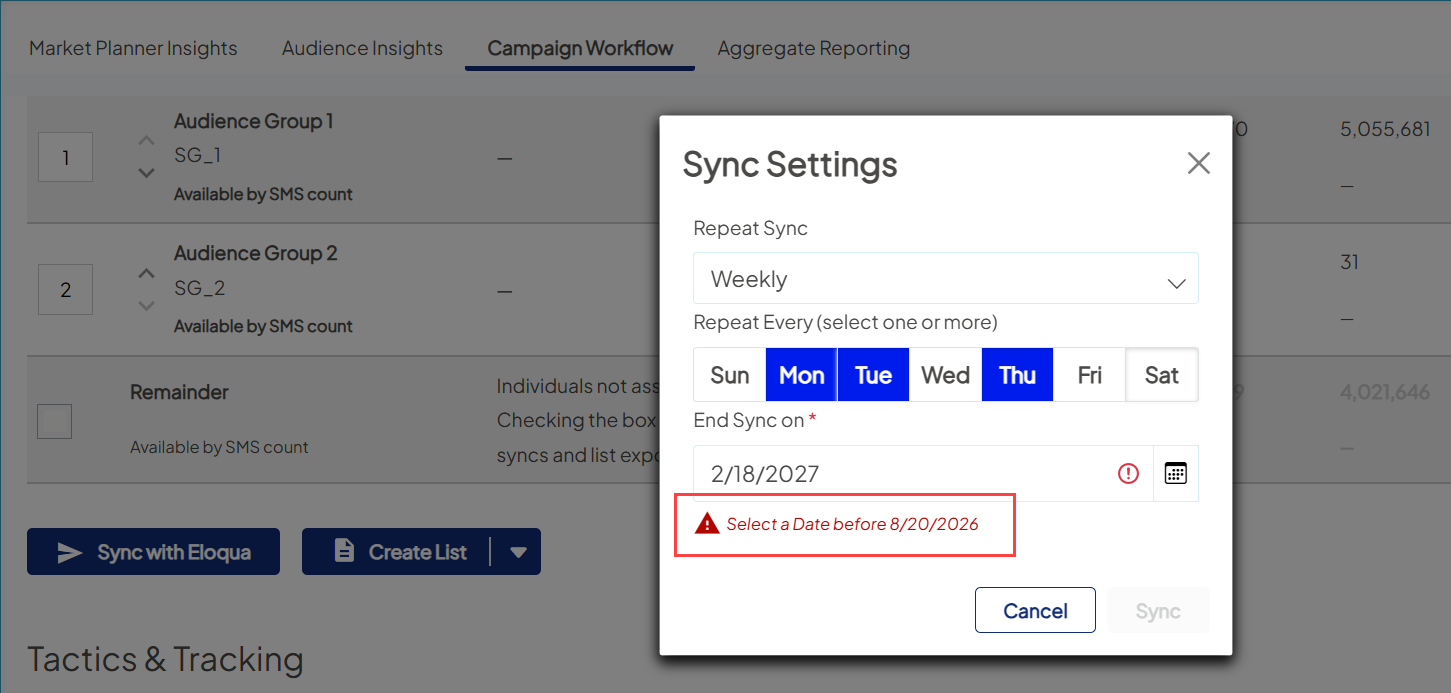
To make sure everything stays fast and responsive, we’ve added some "end dates" to your sync settings (see the release notes for new and existing syncs).
Here’s the breakdown of how the platform will now handle those dates automatically:
- Syncing once or twice a week? Your sync will run for a full year (365 days).
- Syncing three times a week or more? Your sync will run for six months (183 days).
Don’t worry — you’re still in the driver's seat. If you have an "evergreen" campaign that needs to run past the sync end, or if your timeline shifts, just hop into your Sync Settings and update the end date.