Copy-paste diagnosis, procedure, and postal codes for reuse
Got a long list of diagnosis or procedure medical codes or postal codes for targeting? Need to include them in multiple criteria or audience groups? Use this handy shortcut!

This copy/paste functionality is NOT available for CPT or MSDRG codes.
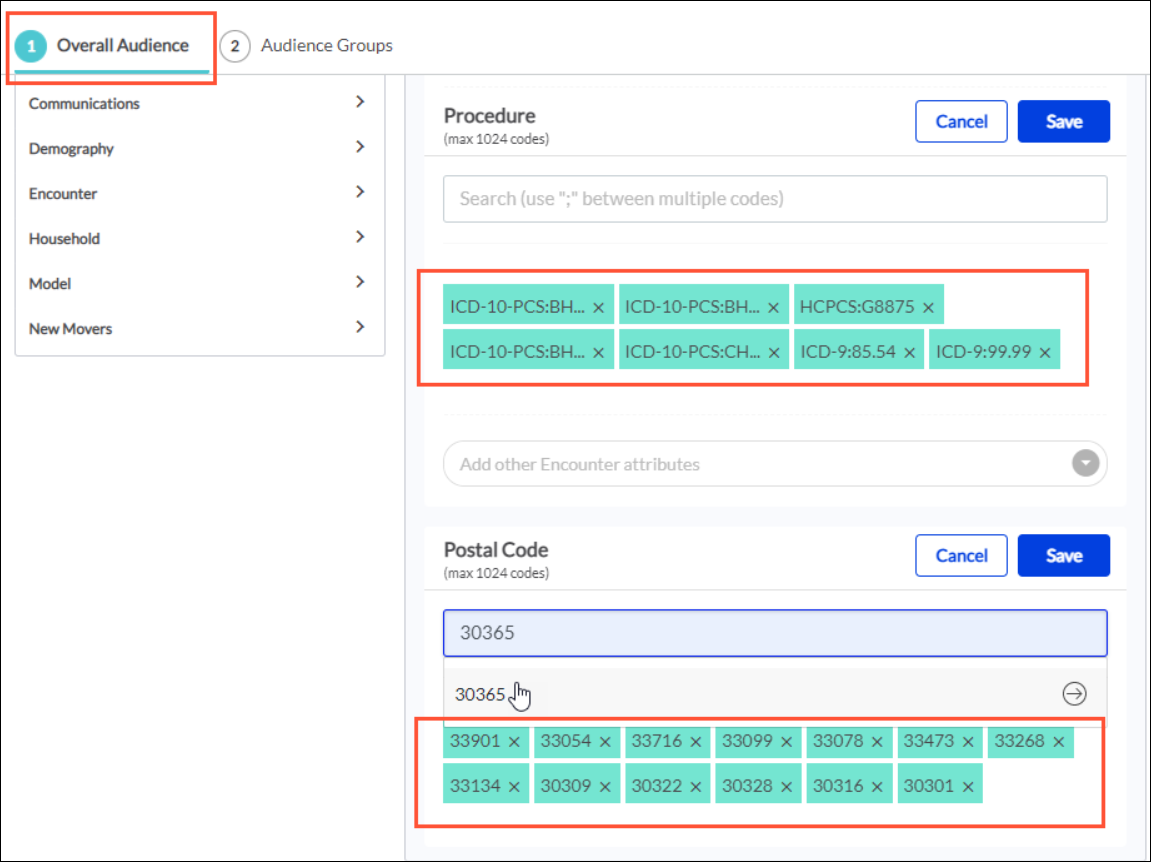
- In Overall Audience or Audience Groups, apply your Diagnosis, Procedure, and/or Postal Code criteria and enter the codes in the fields, as usual.
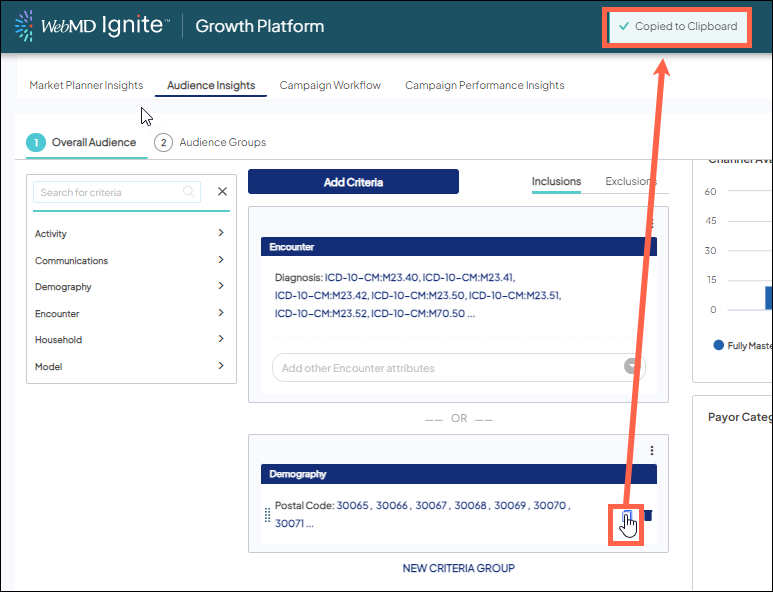
- After saving, hover over the criteria and click the
 icon to copy the codes to your clipboard.
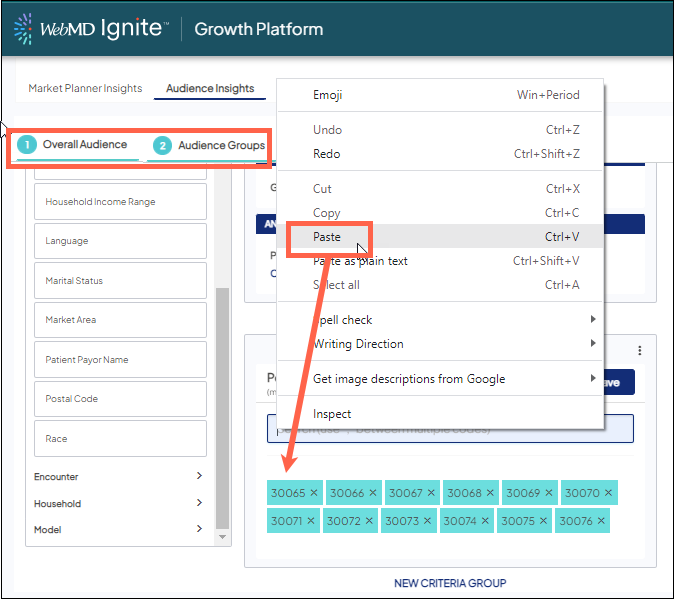
- Paste right into a new criteria group or new audience group that also needs those codes, or even into a completely different audience for a similar campaign. If you add the codes just once in the platform, you can copy-paste wherever you need them.
New criteria or audience group
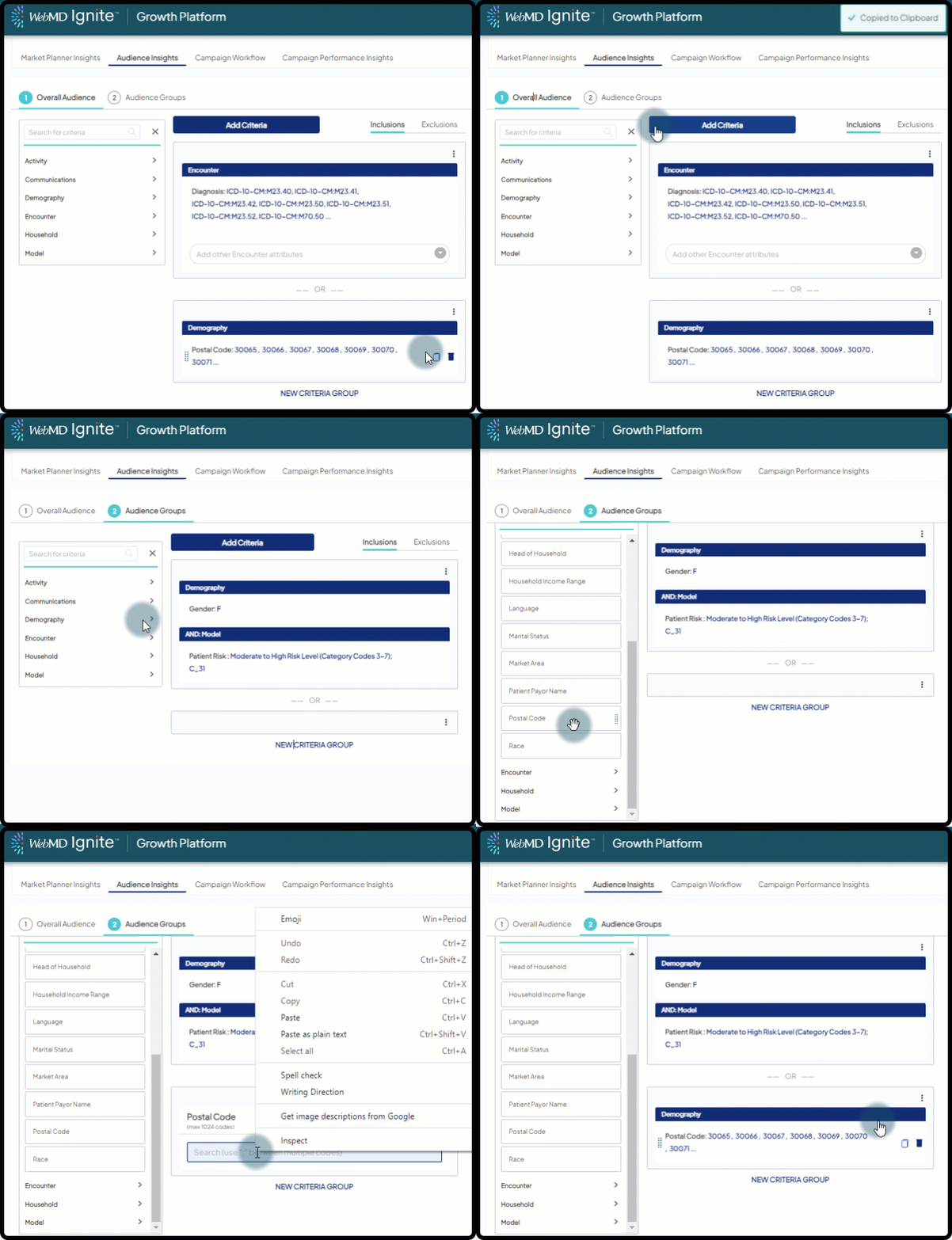
Putting it all together
Once copied, you can also paste the codes into a 3rd party tool of your choice (Google doc, PowerPoint, Gmail, etc.). Colleagues can easily grab from there to include in their own audience lists, or you can drop in a presentation to share your campaign strategy (and success!) with leadership.


