Unmastered records - toggle on: impact to reporting
When the “Include Unmastered Persons" toggle in Campaign Reporting is switched to show Unmastered records, the lower-confidence linking logic methodology is applied (learn more):
Step 1: Gather all Unmastered records created from call(s) to action for the campaign
Step 2: Match to existing Mastered records
Step 3: Delete any Unmastered records that match to 8 or more Mastered records
Step 4: Generate a match score for each matched record
Step 5: Select the match with the highest match score between unmastered and mastered records

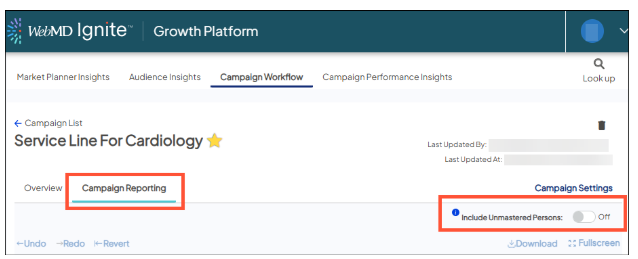
Reporting including Unmastered Persons
Whether the "Include Unmastered Persons" toggle is on or not, the same reporting tabs are displayed with the same metrics.
Let's review each tab so learn where Unmastered records data is seen in reporting when the toggle is on.
- Cost Matrix: no change when including Unmastered records
- ROI Dashboard:
- Matched leads - will likely increase
- Leads will be the same but with lower-confidence linking will connect Unmastered records to Mastered Persons records when the email addresses and/or phone numbers are the same
- Downstream visits metrics - will likely increase
- Downstream activity, including visits, of the linked Mastered Persons records are added
- KPIs, including ROI, and summarized results by each of the campaign's tracked channels
- Matched leads - will likely increase
- Reach: demographic details of Mastered Persons records linked to Unmastered records are added
- Downstream Detail:
- Visit counts - will likely increase
- Financials - will likely increase
- Top facilities - may change if the linked Mastered Persons records are at facilities other than what's listed when the toggle is off
- Encounter type distribution of downstream patients - will likely increase
- Data Extract: fields listed above as impacted will be updated in the extract
- Trending: no change
- QA Dashboard: no change


