Campaign Reporting

If it takes noticeably longer to load (90+ seconds), try clearing the cache in your browser. If that doesn’t resolve the issue, please submit a support ticket.
Ignite Growth Platform not only supports targeting and campaign creation, you also have the ability to gain insight into the performance of any given campaign.
Use Campaign Reporting to evaluate:
- Behavior of individuals exposed to your campaign’s marketing message
- Campaign progression, leads impressions to visits
- ROI and per cost amounts for conversions, using the costs you've added for the campaign
- Audience engagement with your campaign’s objective (incremental patients, incremental lift, and incremental ROI)
In Campaign Workflow, when you click the Campaign Reporting tab, summarized key performance metrics are displayed, including ROI, to help you assess the campaign’s effectiveness across all tracked channels.
For your Ignite Growth Platform campaigns, the Campaign Reporting tab summarizes key performance metrics to help you assess each campaign's the effectiveness across all tracked channels.
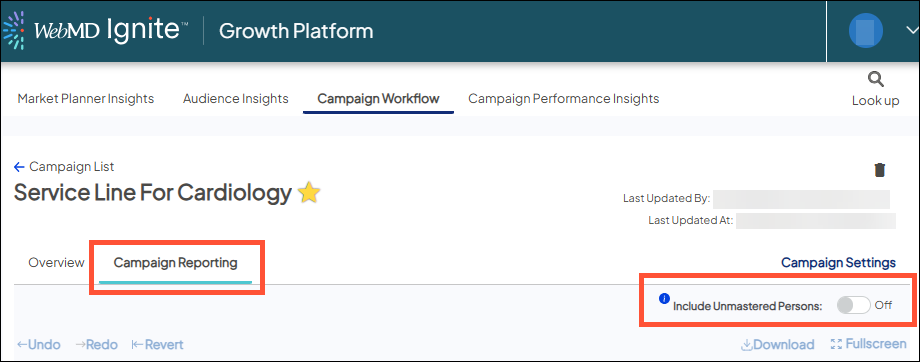
You also have the option to include Unmastered Persons records applying Lower-confidence linking. Depending on the type of campaign, target audience and call(s) to action, Unmastered records may or may not be available.
Campaign Reporting dashboard overview
The results displayed are based on the campaign settings (including objective) set up in Campaign Workflow as they auto-populate across the tab. On each tab, except Cost Matrix, Campaign Filters are available to apply if you'd like to view reporting differently.
The following list provides a brief description of what you'll view on each tab:
- Cost Matrix: the figures you entered in Campaign Workflow > Cost Schedule will auto-populate here (REMINDER: costs are required to accurately calculate ROI)
- ROI Dashboard KPIs: including ROI, and summarized results by each of your tracked channels
- Reach: counts and demographics of any individual who engaged with your campaign - from push channels and anyone who filled out a digital channel call to action
- Downstream Detail: counts and financials by Ignite Service Sub-category, procedures and diagnoses (Custom Service Lines are not used on this tab only - you can use both Ignite and Custom Service Line definitions for reporting on all other tabs); top facilities and encounter type distribution of downstream patients
- Data Extract: exportable row-level, detailed report of downstream activity associated with the campaign
- Trending: month-over-month view throughout the campaign duration
- QA Dashboard: shows active channels within a campaign by month and includes fill rates for the financial measures being sent by your health system to help guide which measures to use for your campaign reporting
More resources
- Accessing the Campaign Reporting dashboards
- Top-level KPIs
- Cost Matrix tab
- ROI Dashboard tab
- Reach tab
- Downstream Detail tab
- Data Extract tab
- Trending tab
- QA Dashboard tab
- Campaign Filters


