Create a New Movers target audience in Ignite Growth Platform
Categories: Ignite Growth Platform, Audience Insights
Identify people who recently reported a change of address so you can reach new residents who will likely need to find local healthcare providers.

Create a new target audience and choose the New Movers criteria set.
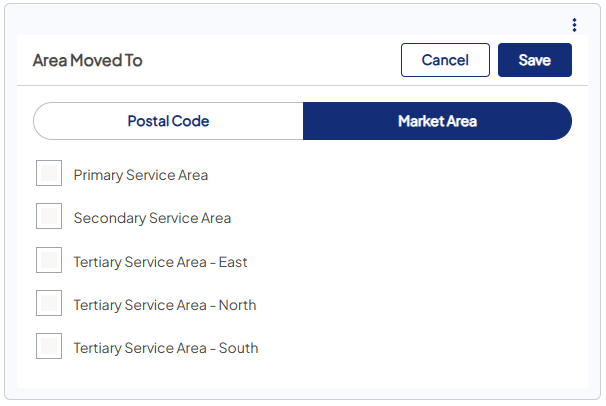
- Set Area moved to - recommended to always include.
-
Select the postal code(s) or market area(s) within your health system’s service area.
-
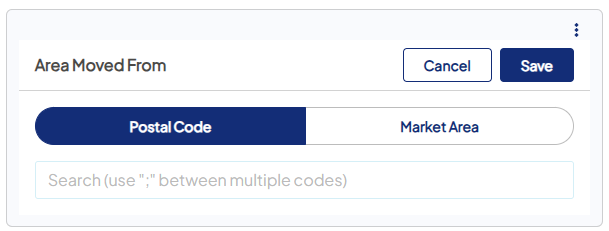
- Set Area moved from - optional.
-
Choose postal code(s) or market areas you want to target movers from (e.g., specific nearby metro areas or states).
-
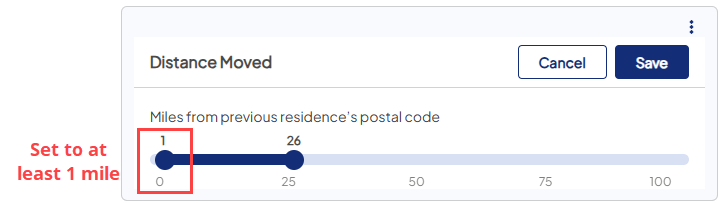
- Set Distance moved.
- Enter the number of miles the individual moved.
-
This number must be greater than 0 to exclude non-movers and avoid capturing small local address updates that aren’t real relocations.
- Configure Move date - important to include.
-
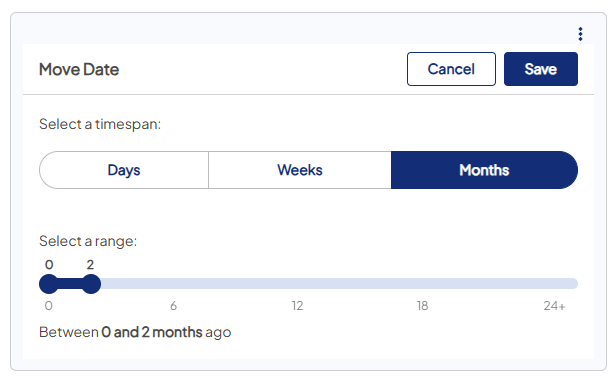
Choose a timespan unit: Days, Weeks, Months, or Years.
- Use the slider to set X (start) and Y (end) for how long ago the move occurred.
- Examples:
- To target very recent movers: Days = 0–30
- To select an exact 4-week period, use Weeks.
- To target within the last 3 months: Months = 0–2 (this includes month 3)
- To target up to 18 months: Months = 0–17 (this includes the 18th month)
- To select calendar months (respecting varying month lengths), use the Months timespan.
-
- Review your audience size and filters.
- Confirm filters are applied as intended (area moved to is included, distance > 0, move date range appropriate).
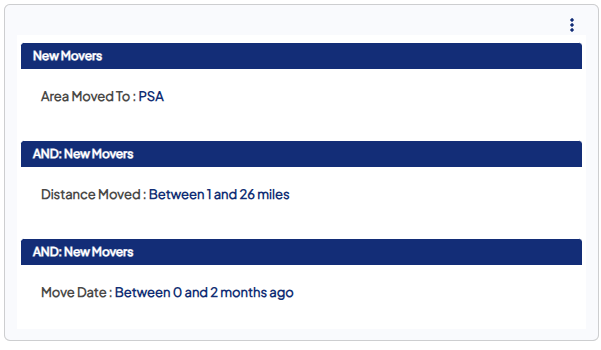
In this example, individuals who moved into the Primary Service Area, between 1 and 26 miles from their original location, and within the last 3 months are included in the audience.
| Criteria | Definition | Data Source |
|---|---|---|
| Area moved from | Select individuals who moved from the postal code(s) or market area(s) you specify. | Consumer Market List |
| Area moved to |
Select individuals who moved to the postal code(s) or market area(s) you specify.  Tip: When you build a target audience intended for a New Movers campaign, we suggest you always include this criterion to target individuals who moved to your health system's service area.
|
Consumer Market List |
| Distance moved | Select individuals based on the number of miles they moved. The number is set by you and must be greater than 0 to ensure actual movers are included. | Consumer Market List |


