Release notes: June 25, 2024
New to Market Planner Insights: Exclusion filters
In the Consumer Profiler, you now have more filtering options to better understand your population and market opportunities:
 |
Control Group: Exclude or include individuals based on their membership in the enterprise control group |
|
Do Not Solicit (DNS): Exclude or include individuals based on their solicitable status (if any 1 channel—email, mail, or phone—is marked as DNS, the person will be excluded) |
|
Minors (0-17): Exclude or include individuals to assess pediatric campaign opportunities |
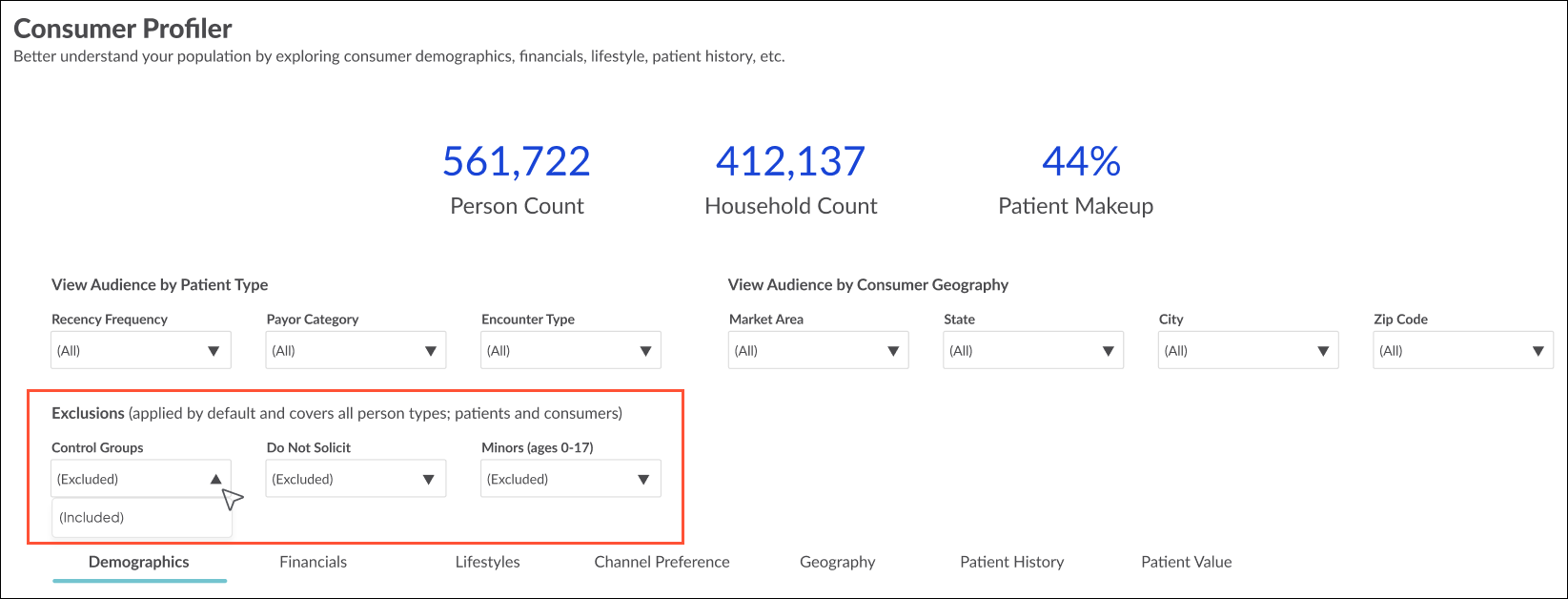
The criteria are excluded by default—click the dropdowns to include for a broader view of your market makeup (demographics, financials, etc.). The filters can be used in combination with the existing filters for Patient Type and Consumer Geography, and the top-level metrics and data across tabs will update accordingly.
Exclusions look familiar? They’re the same used in Audience Insights, giving you a consistent starting point for your population when both planning and targeting.

