Release notes: June 27, 2023
New view of your custom activities
In the Reports tab > Consideration Conversions, we’ve enabled a new report showing any custom activities attributed to that campaign. Now conversions made outside the platform—like attending a seminar—can be further visualized in-platform to understand the full impact of your marketing efforts.
The report is available at the top of the page, and also accessible from the Scroll to section.
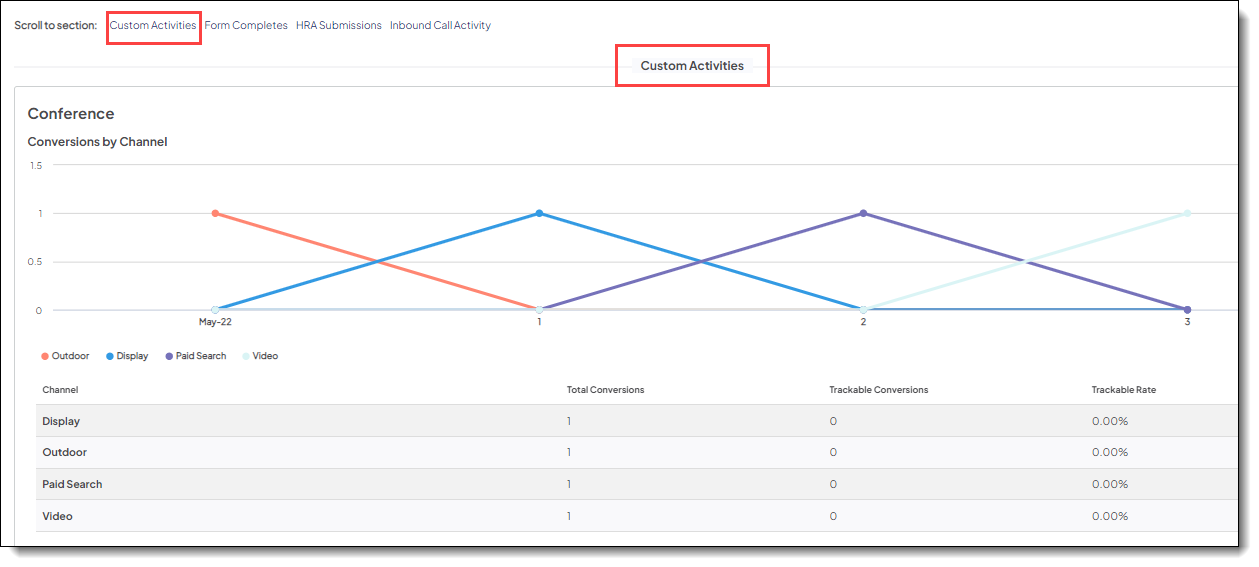
Line graph
Monthly trend of completed custom activities by marketing channel.
Table
Metrics by marketing channel:
- Total Conversions: Number of custom activities completed by identified and anonymous individuals.
- Trackable Conversions: Number of custom activities completed by identified individuals.
- Trackable Rate: Rate at which identified individuals completed the custom activity.
- Calculation: Number of identified individuals who completed the custom activity divided by the number of all identified and anonymous individuals who completed.
Keep in mind:
- If there are no custom activities to track for the campaign, the report will not appear. If there are multiple custom activities, a separate report will appear for each.
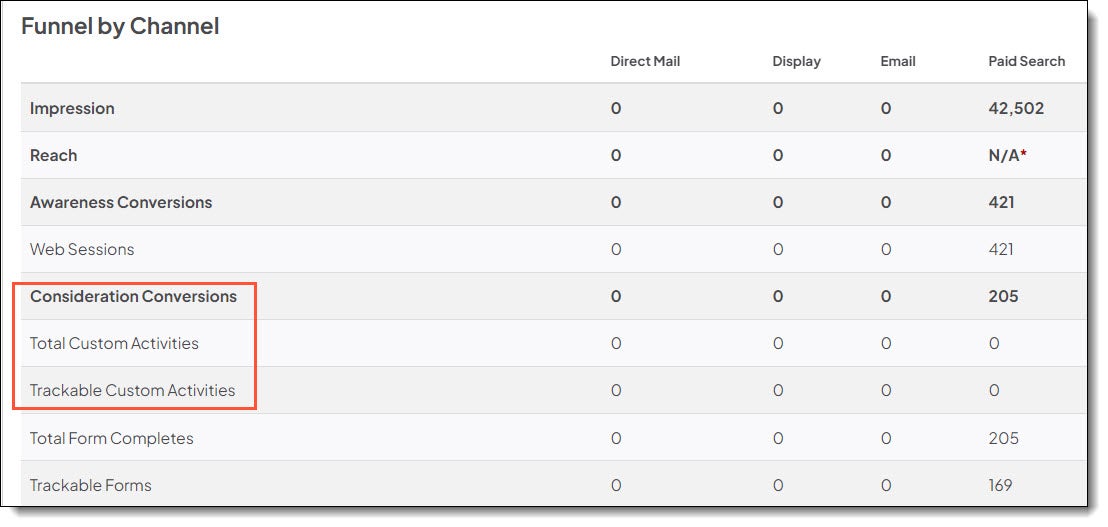
- While this report is new, Consideration Conversions for custom activities will also still be captured in the Reports tab > Performance > Funnel by Channel report (shown below) and the Dashboard tab > Consideration Conversions section.
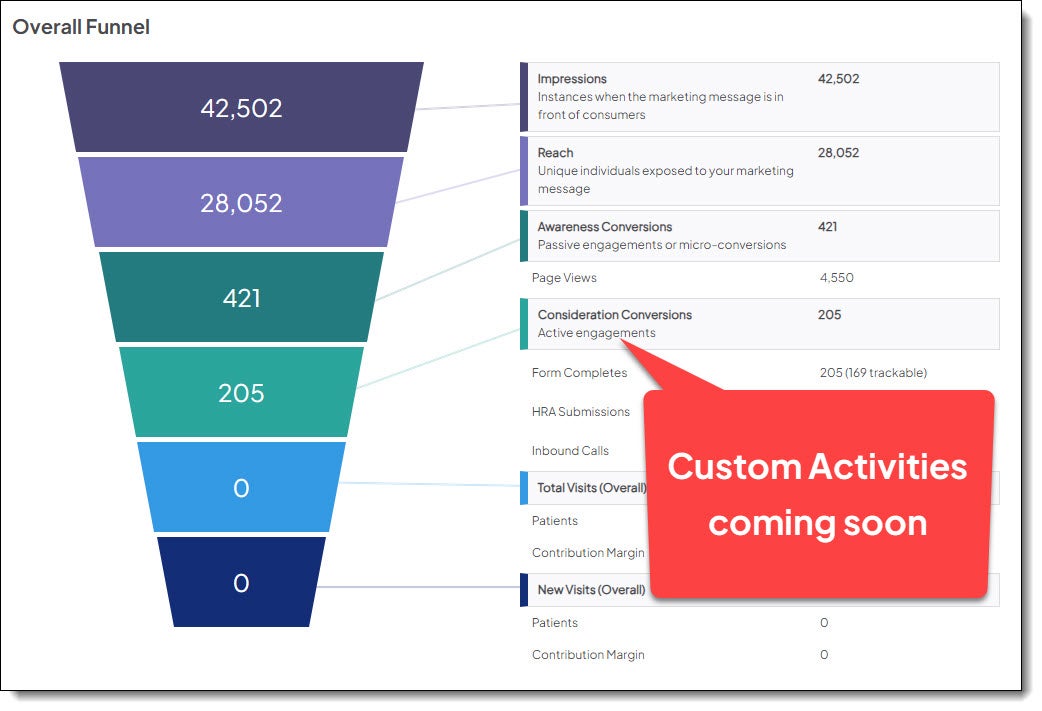
In a coming release, we’ll also be adding custom activities to the Performance > Overall Funnel for a complete view of Consideration Conversions.
Fixed
Market Planner Insights
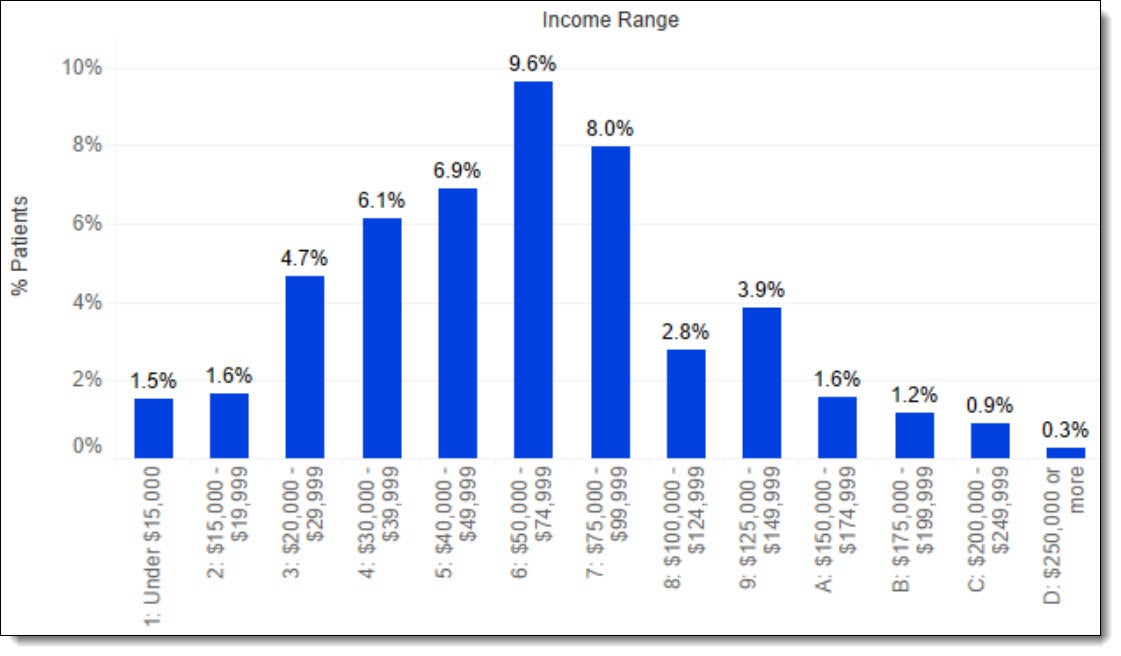
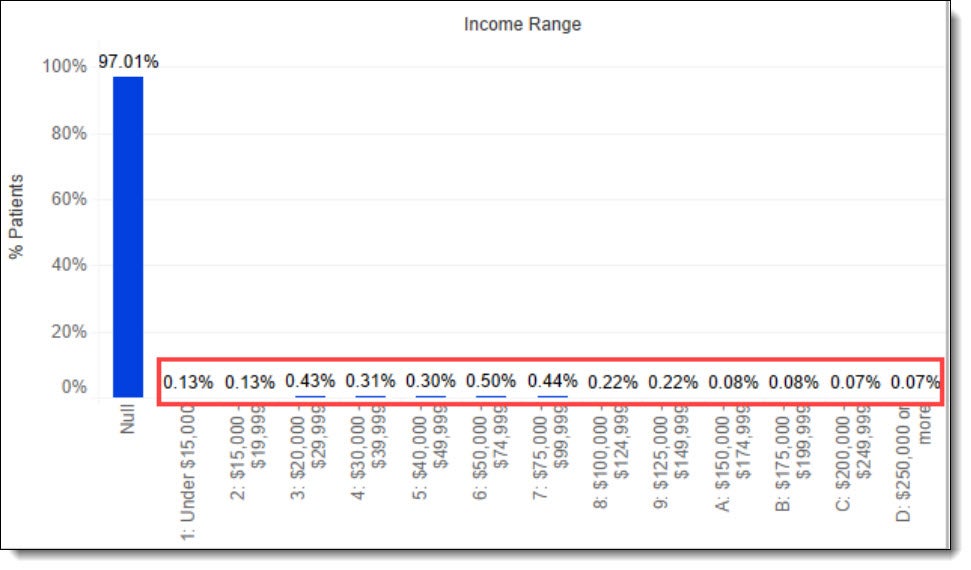
In the Service Line Assessment > Patient Demographics tab, we fixed the visualization for Income Distribution. A data issue was producing too many null values, causing the bar charts to show less than 1% for each of the income ranges. Now the nulls have been reduced and the dashlet displays correctly.
Before
After