Release notes: May 16, 2023
New copy-paste makes audience building a breeze
Using a long list of medical or postal codes for targeting? Need to include them in multiple criteria or audience groups? Try this new shortcut and save serious time and effort!
- In Overall Audience, apply your Diagnosis, Procedure, and/or Postal Code criteria and enter the codes in the fields, as usual.
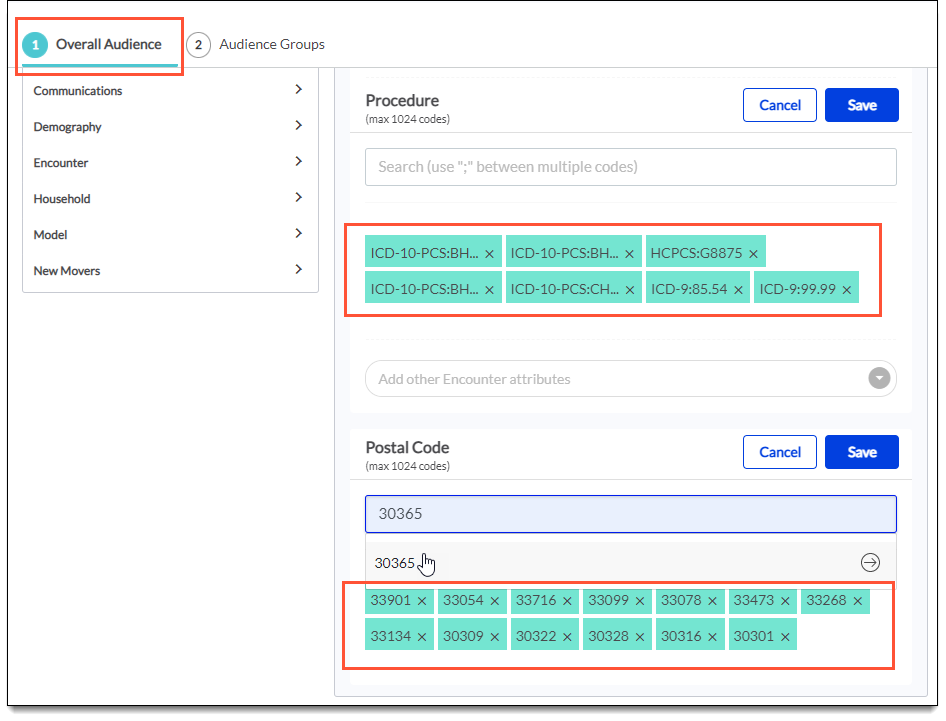
- After saving, hover over the criteria and click the new icon to copy the codes to your clipboard.
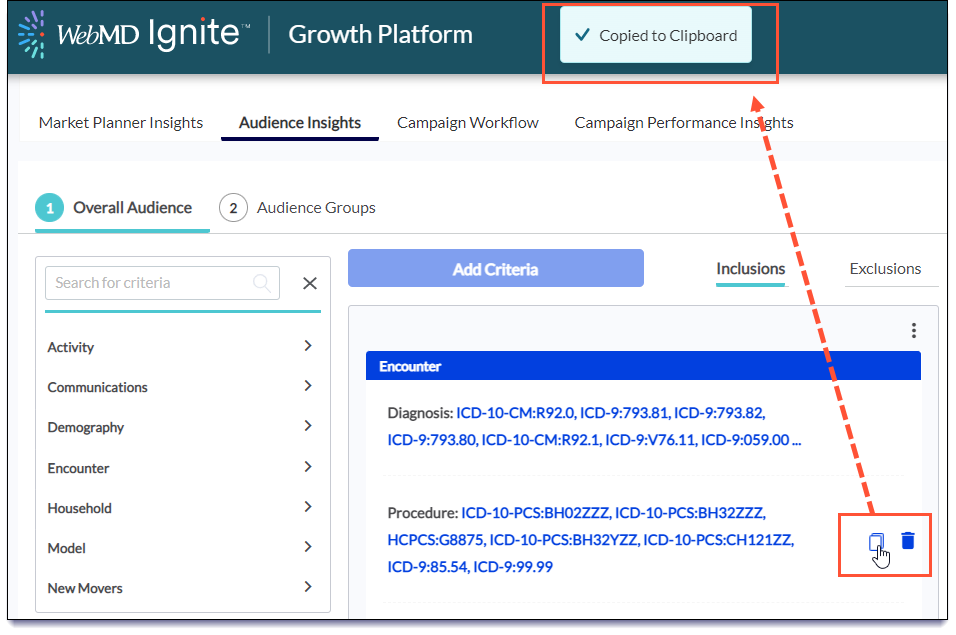
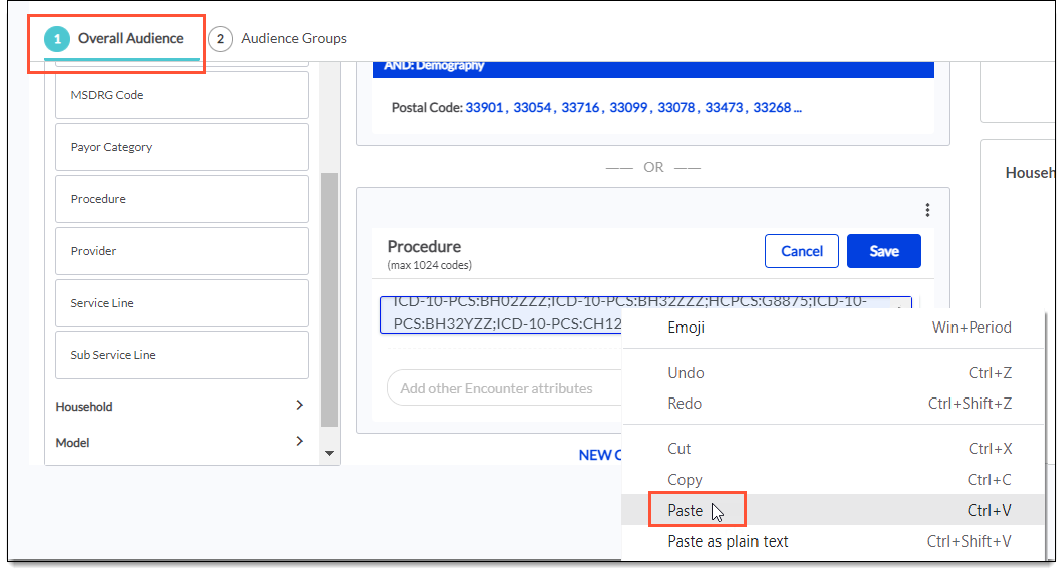
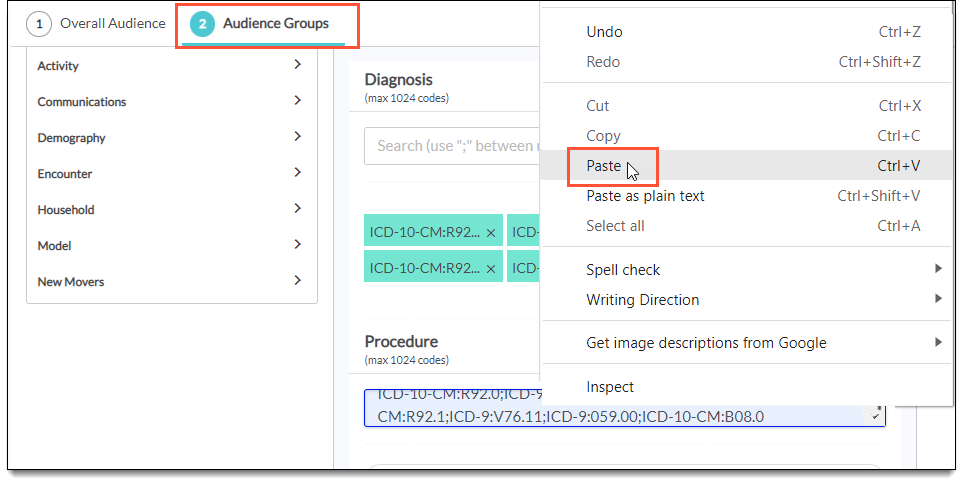
- Paste right into a new criteria group or new audience group that also needs those codes, or even into a completely different audience for a similar campaign. If you add the codes just once in the platform, you can copy-paste wherever you need them.

New criteria group
New audience group
Want another major timesaver?
Now you can duplicate an audience group. For example, let’s say you need to create 5 groups with lots of similar-but-slightly-different medical codes. Instead of retyping the codes over and over in each group, just click the icon in the first group and select the new option to duplicate. Then add or remove codes from those additional group(s) as needed. Fast and efficient!


Enhanced UI: Sticky headers in Decision Conversions
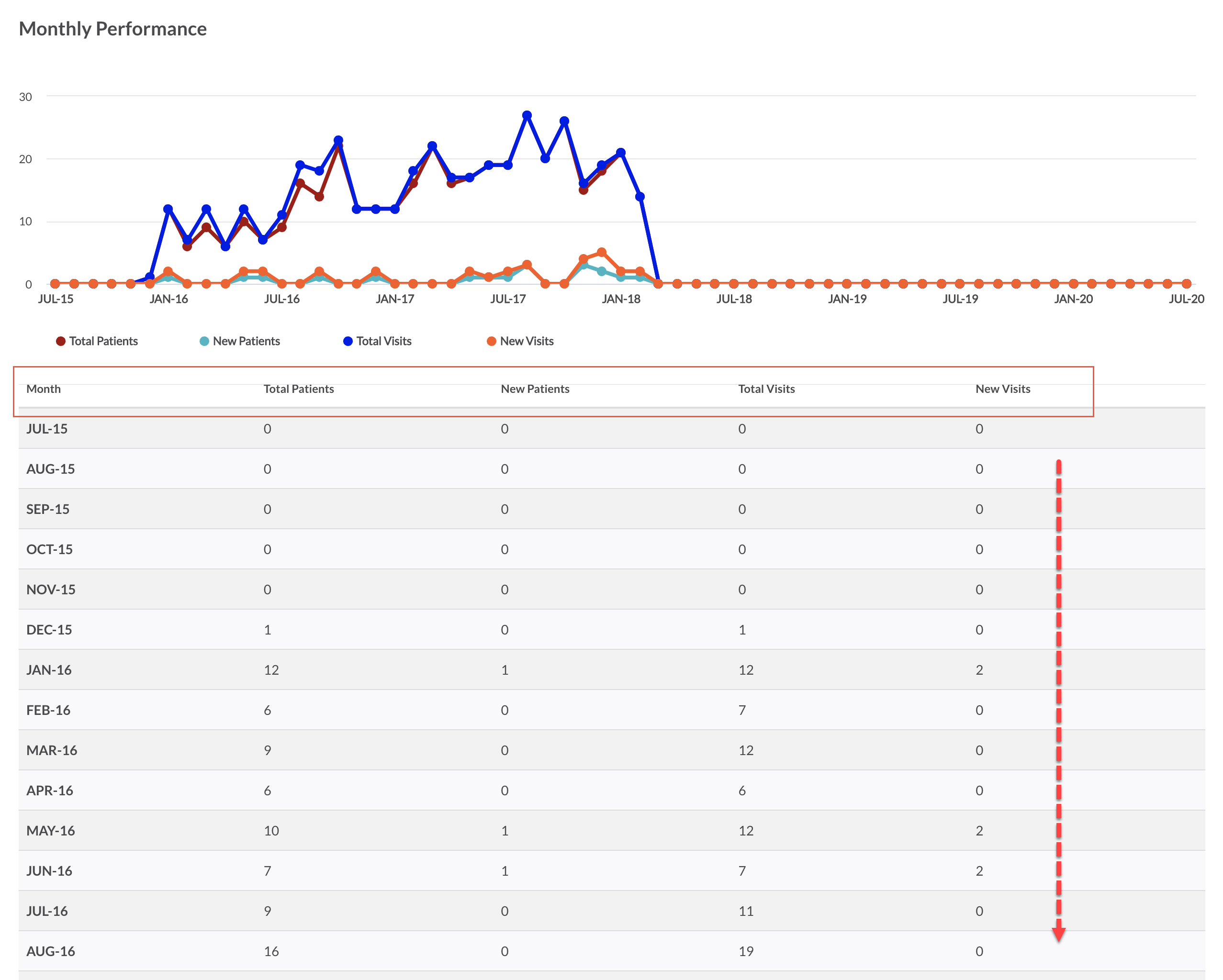
Previously, as you scrolled down the charts for Monthly Performance and Visits by Sub-Service Line, the column headers would disappear from view. Now when you move down the page, the headers move too—so you always know what metrics you’re seeing.
Campaign Workflow > Reports tab > Decision Conversions
Fixed
- We fixed an issue with campaign reporting for pediatric campaigns. Pediatric patients were not being calculated as part of the new patient definition, which focuses on those whose last encounter with the health system was 36 months or more before the first interaction with the campaign. Instead, all pediatric patients and visits were considered new, leading to inflated counts for those campaigns. Now new pediatric patients are calculated correctly.

