Release notes: November 14, 2023
In this release: Add campaign favorites | Improved email validation
NEW: Your favorite campaigns are just a click away
In Campaign Workflow, now you don’t have to wade through multiple pages to find your current or most important campaigns. Just mark them with a star for easy access anytime!
Add your favorites
There are 2 convenient places to make your selections:
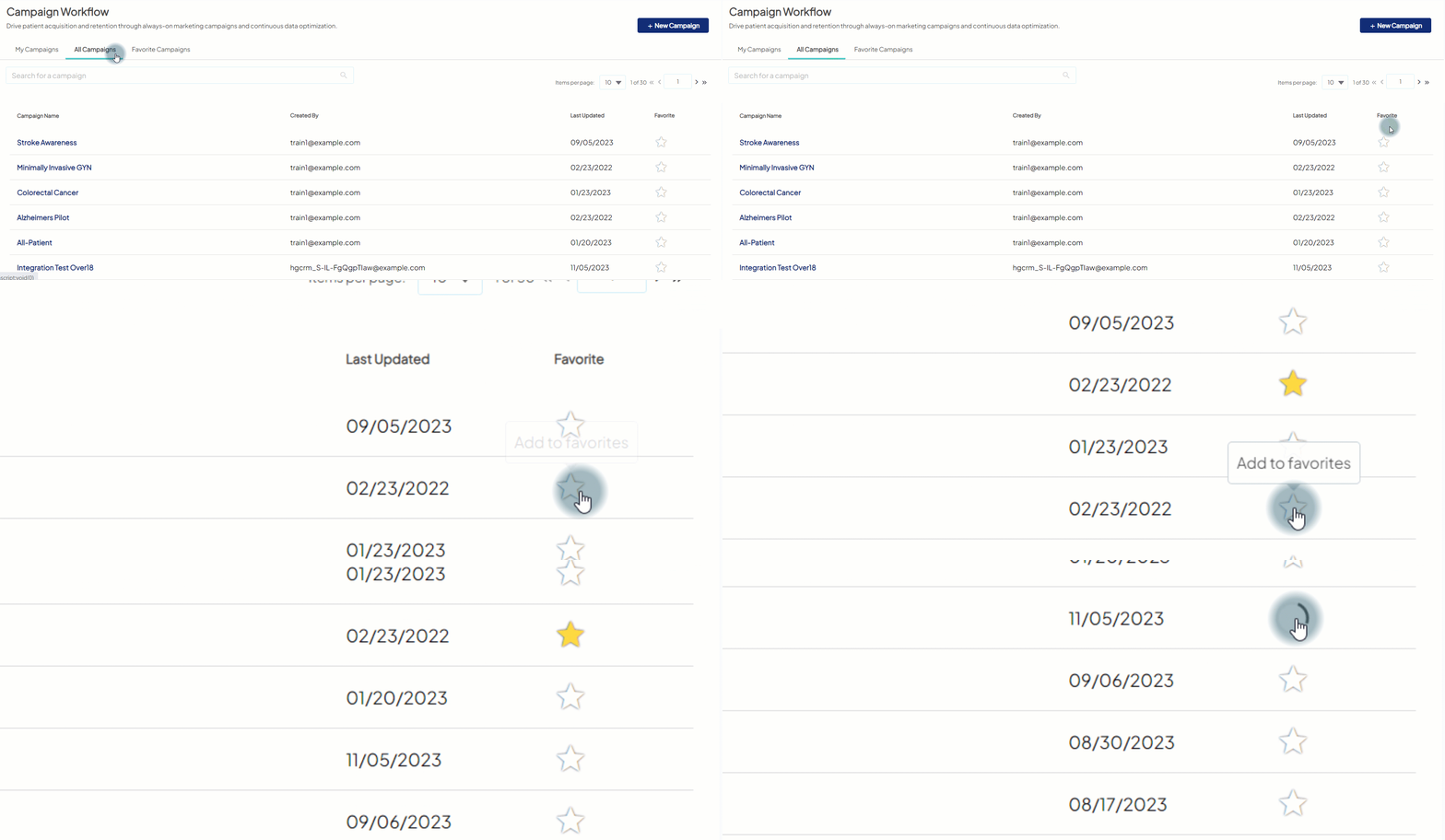
- All Campaigns tab: You’ll see a new Favorite column at the end of the list view. Click the
 for your campaign(s) of choice.
- Within a campaign: Click the to the right of the campaign name.
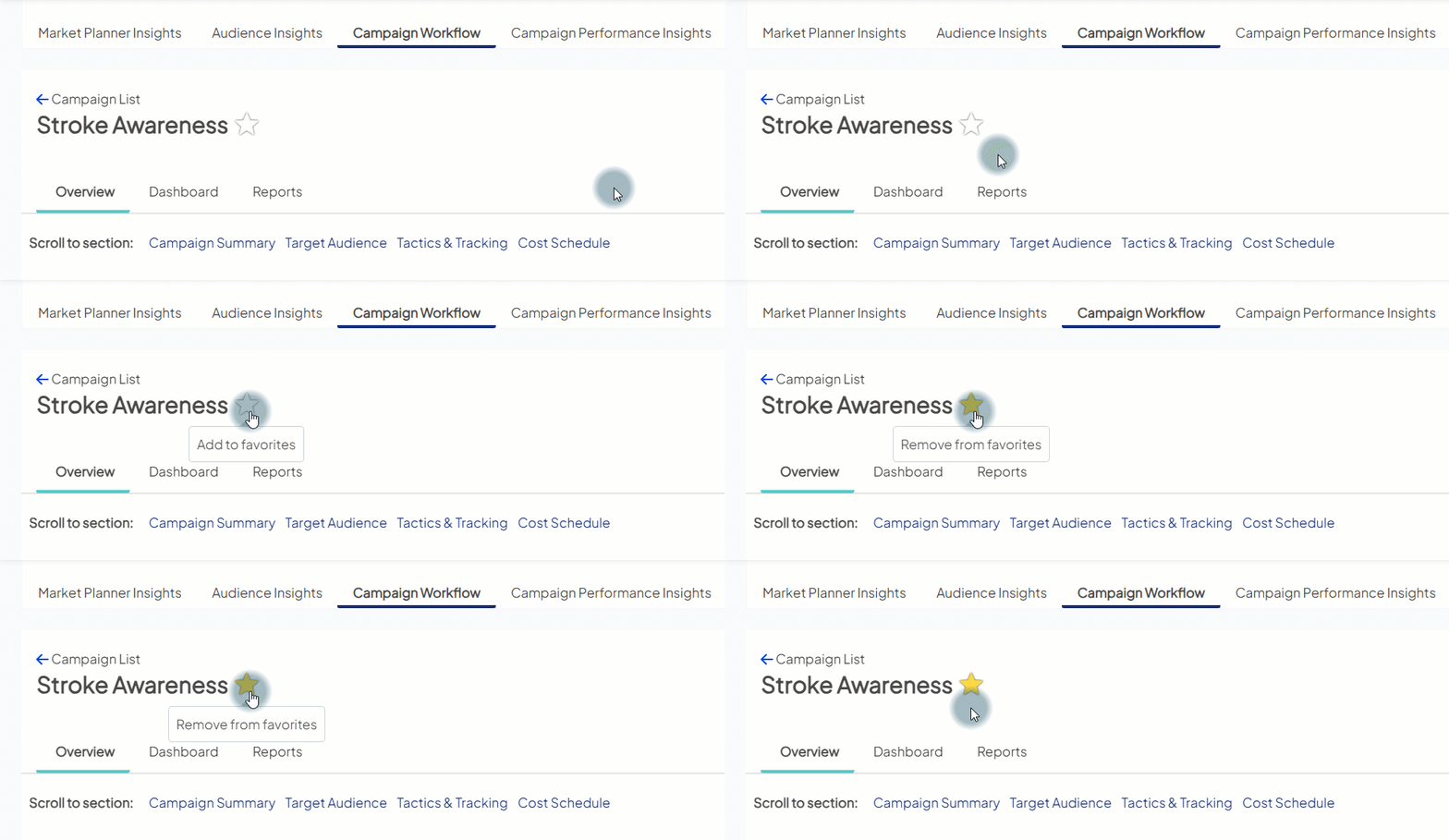
- After clicking a star, it will turn yellow
 to confirm your selection.
 - To remove a favorite, just click the star again.
View your favorites
Once you’ve made your picks, there are 2 ways to see them:
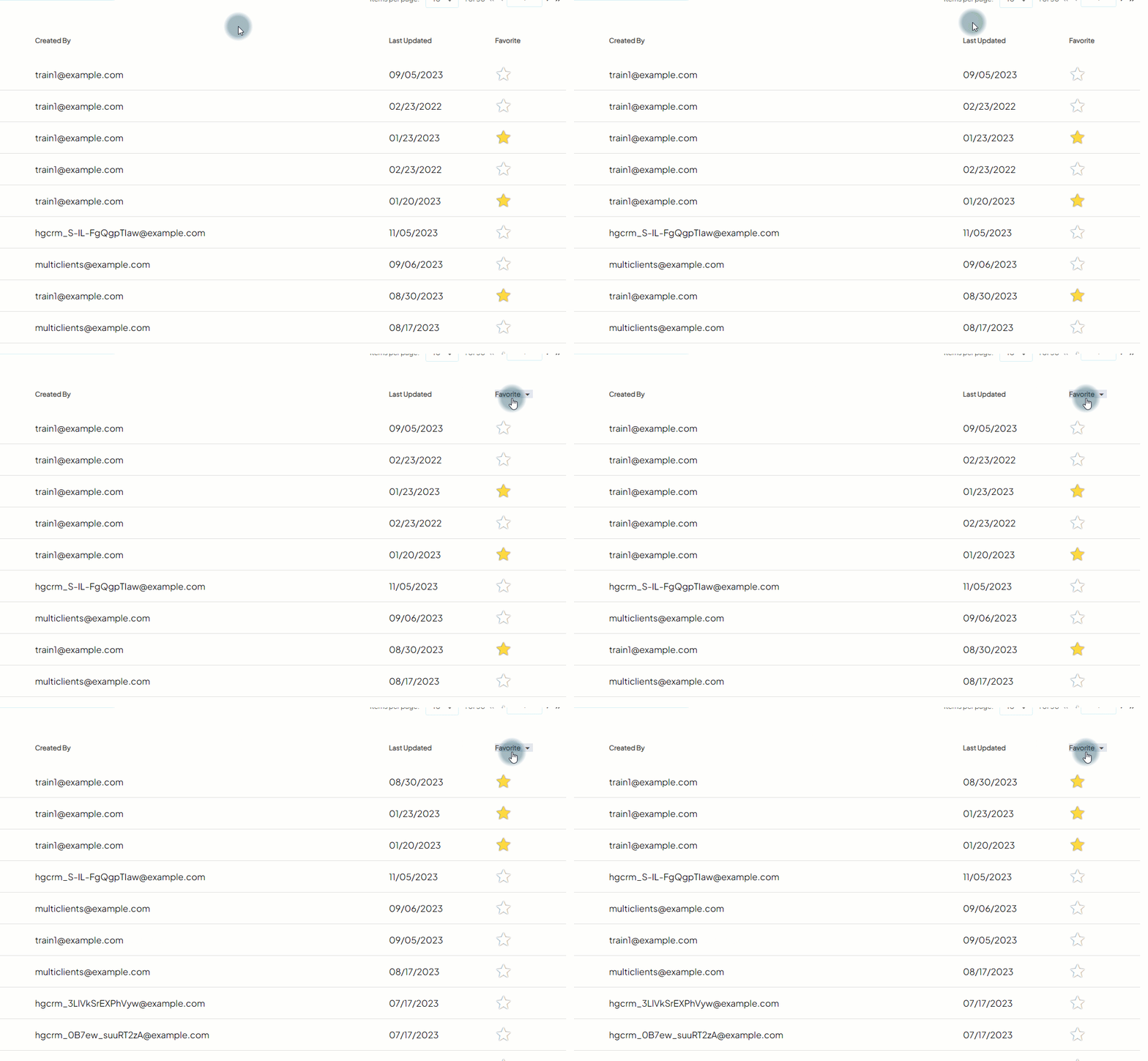
- All Campaigns tab: Click the Favorite heading in the last column, which will sort them all together at the top (in order by Last Updated).
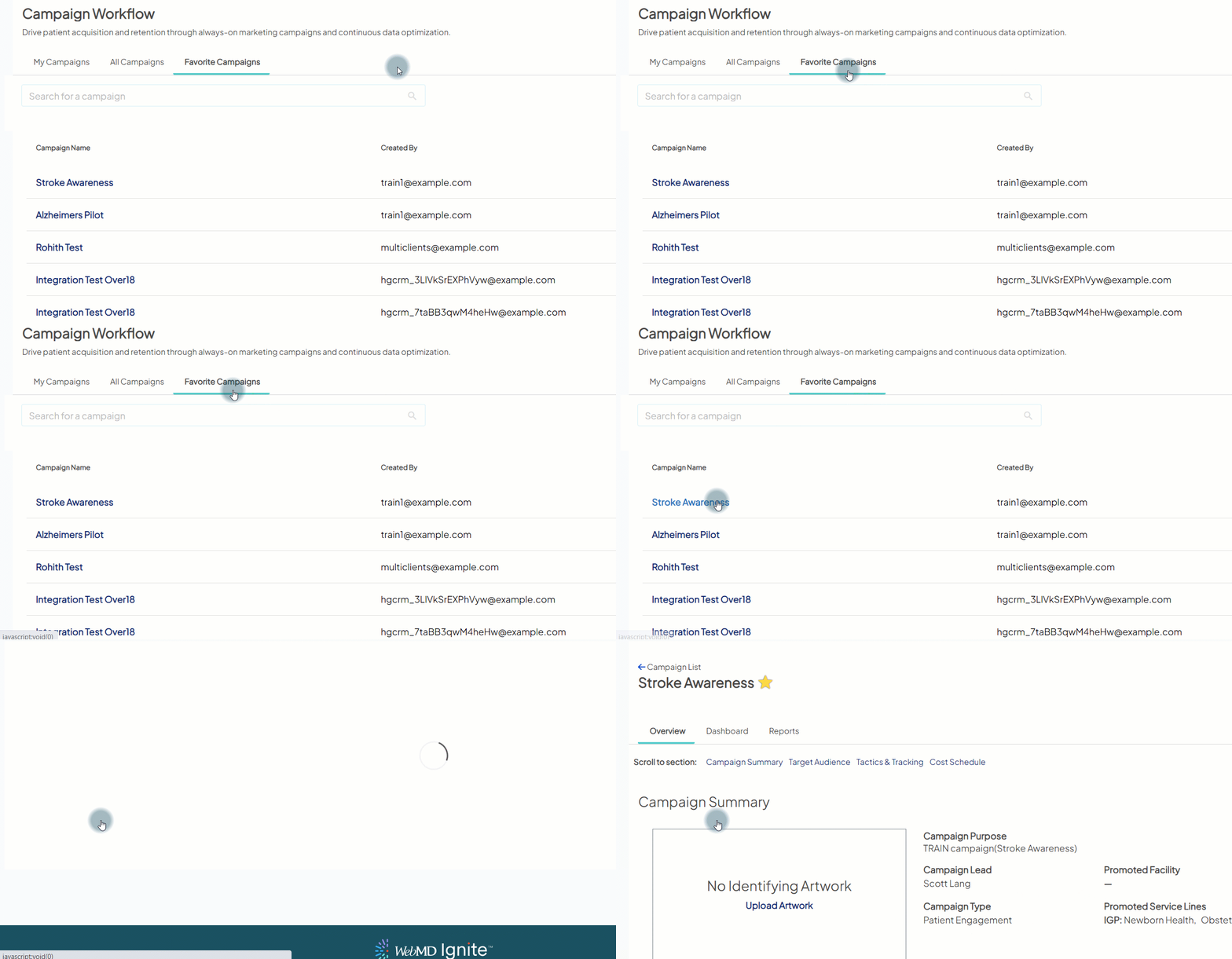
- Favorite Campaigns tab: This new dedicated area shows only your favorites. To access a campaign from the list, click the campaign name as you would from the other tabs.
Improved validation for patient email addresses
To enhance the quality of data submitted by your health system, we’ll now be removing email addresses that don’t meet the standard format: <username>@<domain name>.<extension>
Acceptable format
Invalid format
- @bob.com
- junderhigmail.com
- lazy-susan@org
- none
This helps ensure more successful delivery of your email campaigns. It also matches the validation rules in marketing automation tools like Eloqua and Salesforce Marketing Cloud, so you should see more consistent email list counts between Ignite Growth Platform and those integrated solutions.

