In this release: New campaign settings for default reporting | SMS ingestion and retargeting

Get the reporting you need, right from the start
With three new campaign settings, you can now define your default reporting up front. The result: a more streamlined workflow that’s instantly aligned with your campaign objectives.
What it is
In Campaign Settings, you’ll find new adjustable defaults that automatically carry through to your reporting:
- Individual or Household tracking
- Same Day visit attribution
- Age at Time of Visit
Previously, these options were only available as filters within the reporting itself. By adding them as settings, this updates saves you those extra steps so you can dive straight into your preferred insights.
How it works
For new and existing campaigns, your reporting remains the same — with the added flexibility to change your defaults as needed:
General tab
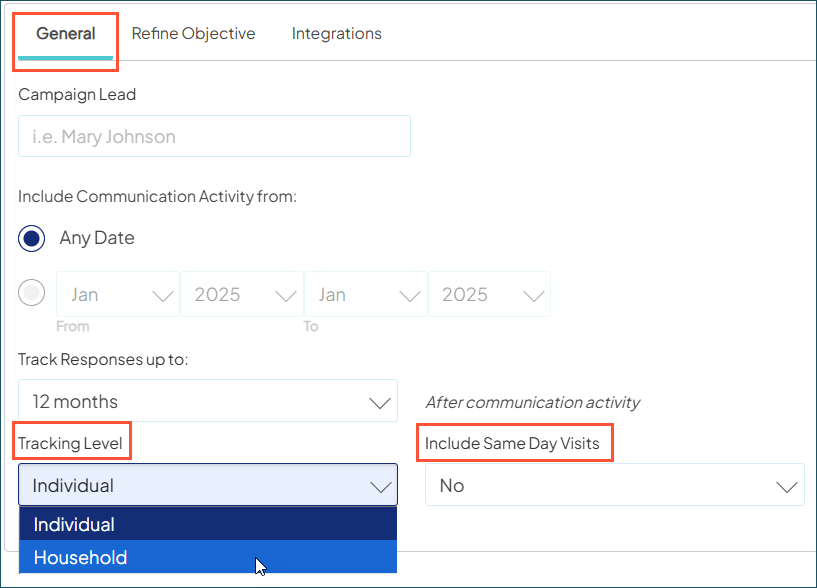
Tracking Level: Defaults to Individual, or switch to Household. This is especially useful for pediatric campaigns, where marketing activity comes from the parent or caregiver, but you want to report on downstream visits for children in the household.
Include Same Day Visits: Defaults to No, or switch to Yes. For emergency and urgent care campaigns, this allows you to capture those relevant same-day encounters in your downstream ROI tracking.
Refine Objectives tab
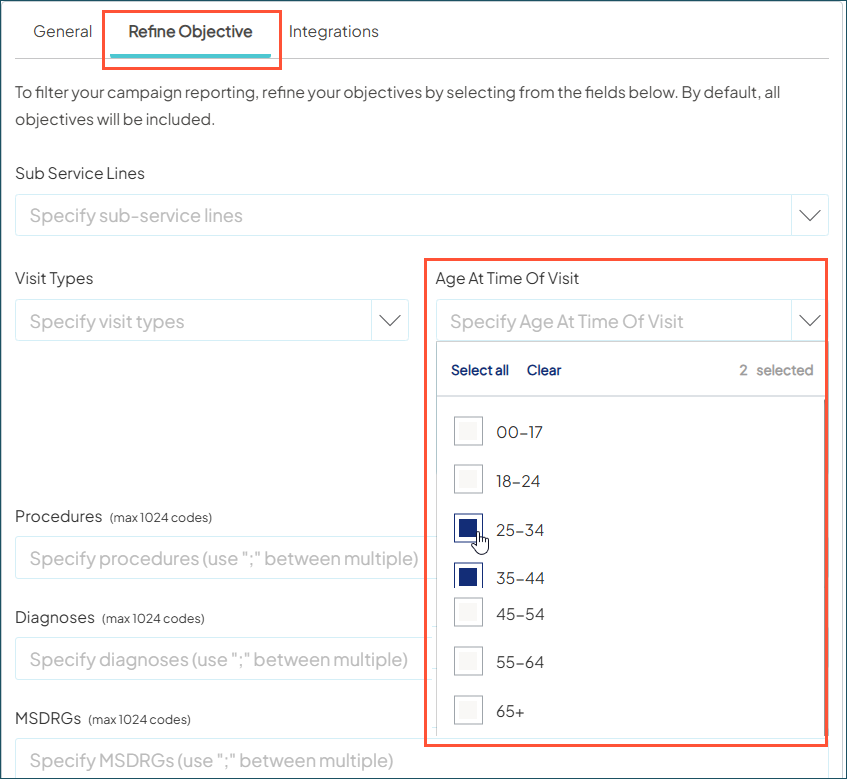
Age at Time of Visit: Defaults to All, or set specific age range(s). For example, you can focus your default reporting on pediatric visits (0-17) or on age-based health screenings like mammography.
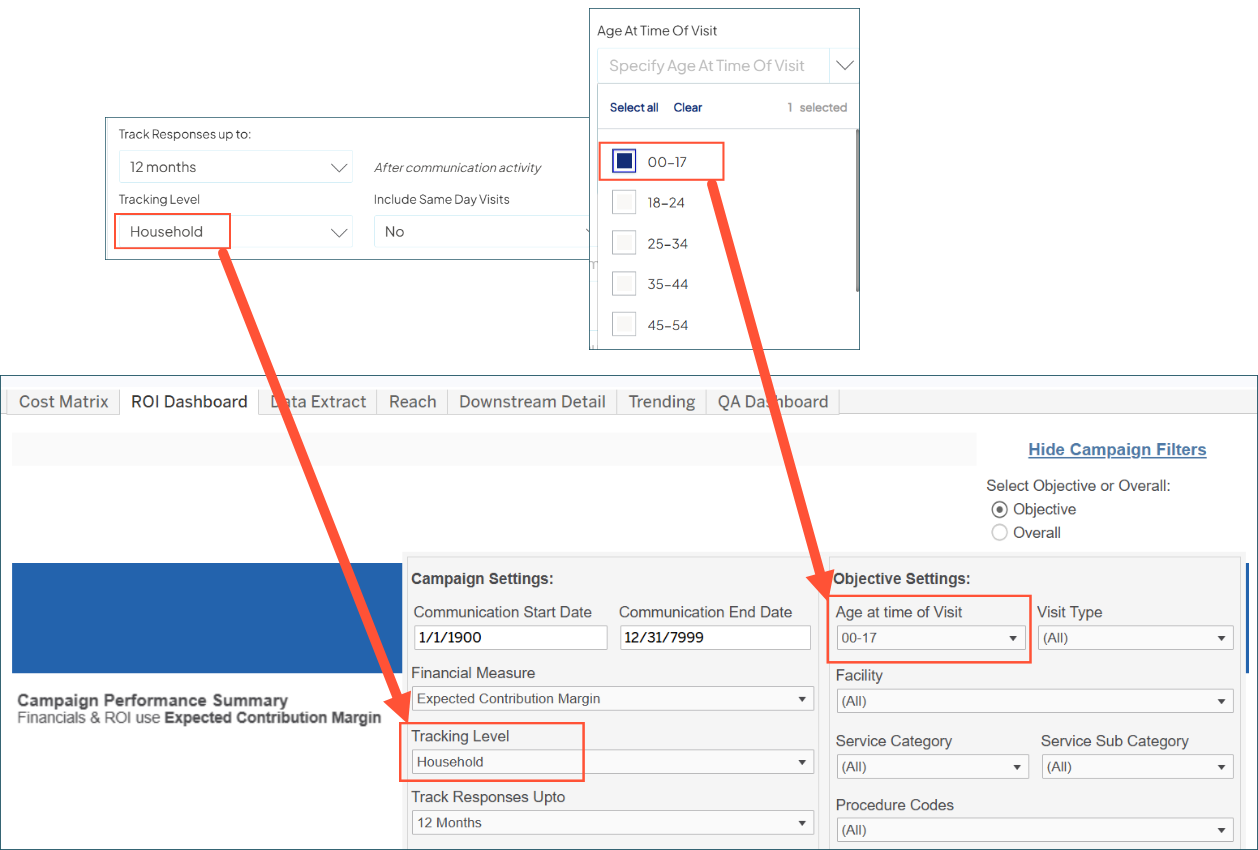
Once saved, your new defaults are automatically applied whenever you run your reports.
Why it matters
- Save time, every time: No more filtering after the fact — update your defaults once and you’re all set
- More control and precision: Set specific defaults to meet the unique reporting needs of each campaign
- Building toward our next big release: These updates are an important step to multi-campaign (aggregate) reporting, giving you a unified view of performance across campaigns. More details coming soon!
Supercharge your retargeting with SMS activity
Earlier this year, we enabled you to build and export SMS audiences for outreach in your third-party tool. With this release, you can close the loop on those marketing activities — bringing them back into Ignite Growth Platform to power your retargeting campaigns.
What it is
SMS activity is now an official data source, allowing you to send those marketing activities from external campaigns directly into your platform. This enriches your contact records with new engagement data that’s actionable for audience creation.
How it works
Setting up and sending your data
To get your SMS data flowing into the platform, the first step is to contact your Account Manager to request access to this new data integration. Our implementation team will then work with you to configure your new SMS activity feed.

Once you’re set up, just follow our new dedicated SMS data submission guide. It outlines all the field and formatting requirements, including new SMS attributes, to ensure successful loading. You can send data ad-hoc on your preferred regular frequency: daily, weekly, or monthly.
Creating your audiences for retargeting
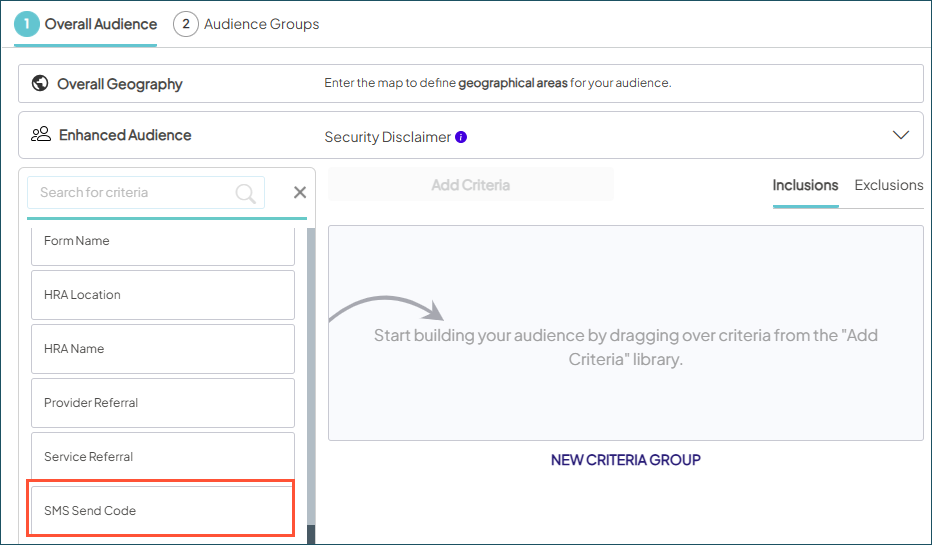
In Audience Insights, we added new Activity criteria for SMS to include those individuals in your lists for targeted follow-ups.
New criteria filter:
-
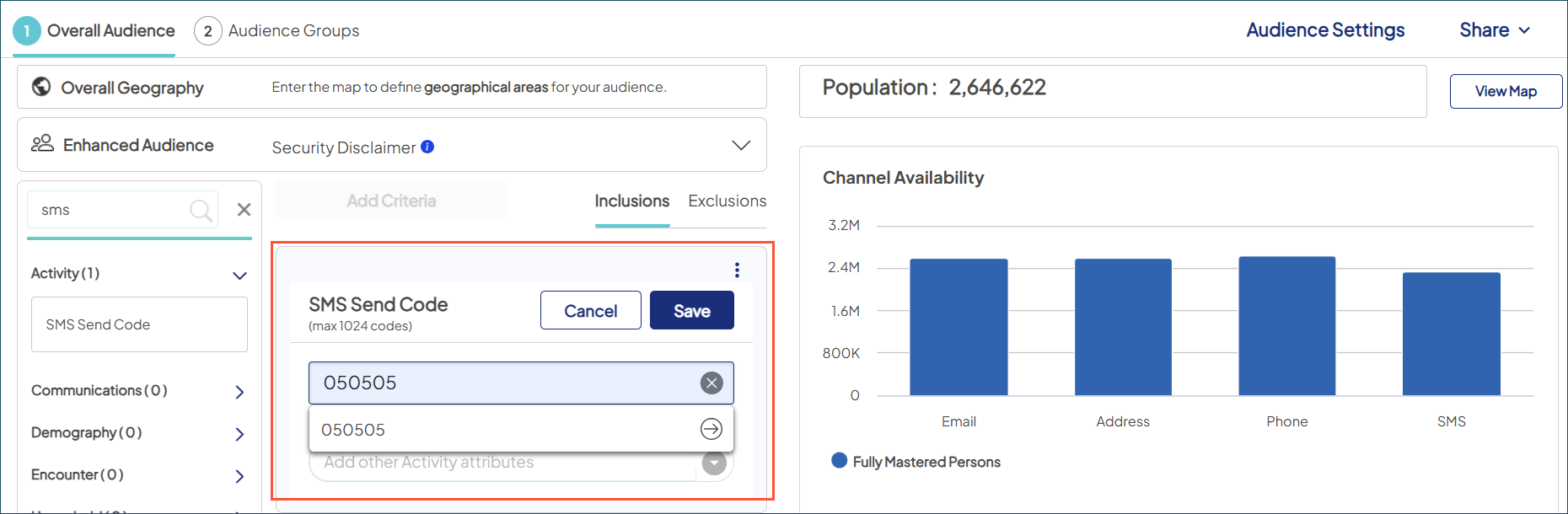
SMS send code: Originating number the SMS text was sent from — typically a short vanity code in the message (e.g.. “Text HEALTH to 050505 for more information”). It could also be a full phone number, depending on what you’re using for outreach.
New criteria sub-filters:
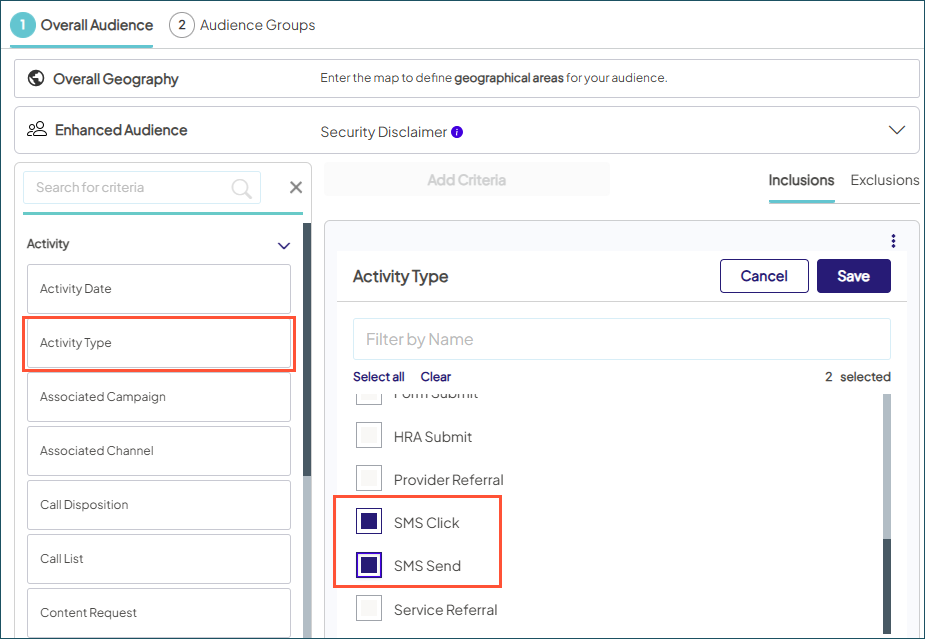
- Activity Type > SMS Send: Indicates an SMS message was sent to an individual.
-
Activity Type > SMS Click: Indicates the SMS recipient clicked a link in the message.
-
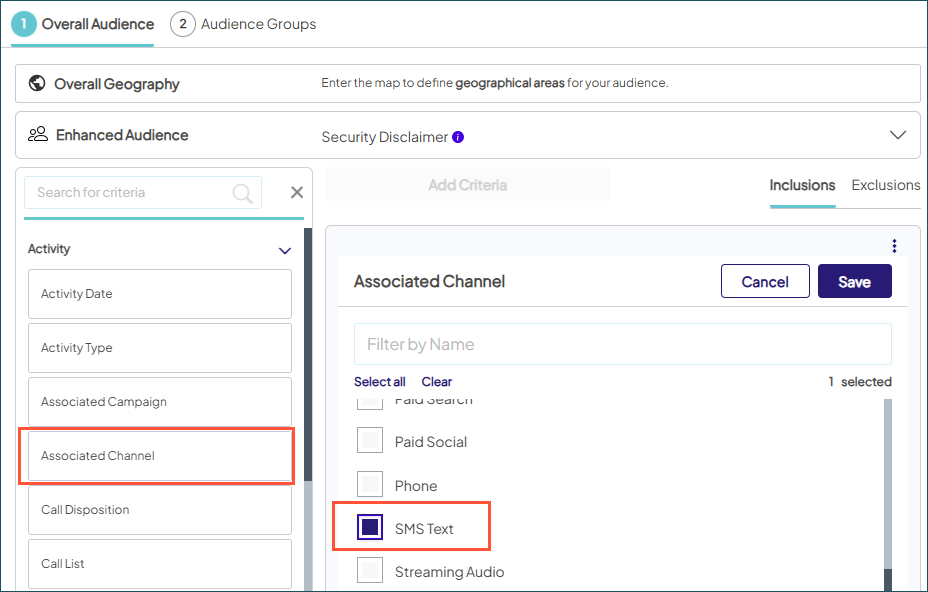
Associated Channel > SMS Text: Select individuals with communication or response activity associated with SMS
Why it matters
This release unlocks exciting new retargeting opportunities in a preferred channel for health consumers, and lays the foundation for full SMS capabilities on the way:
- Robust reporting: The data you begin submitting today will soon give you complete visibility into SMS campaign performance, response tracking, and more.
Direct integration: Activate SMS audiences and automatically receive activity data back into your platform through vendor connections.

