Release notes: May 28, 2025
In this release: Build and export SMS audiences | Improved household audience criteria

Say hello to SMS audience creation
Build and export text message marketing lists — a first for Ignite Growth Platform, and the first step toward full SMS capabilities on the way.
What it is
As part one of our phased release, you can curate audiences with SMS-enabled phone numbers. Once built, export the list from Ignite Growth Platform for use in your third-party SMS tool.
How it works
Send with confidence: Every home and mobile phone number in your platform is now run through our validation process to determine whether or not they’re SMS-enabled. The numbers are then tagged accordingly on the contact’s record, so when you create your SMS lists, you can trust your message reaches the right people.
Seamless list building: We've made some updates to Audience Insights that support SMS list creation, right within your usual workflow:
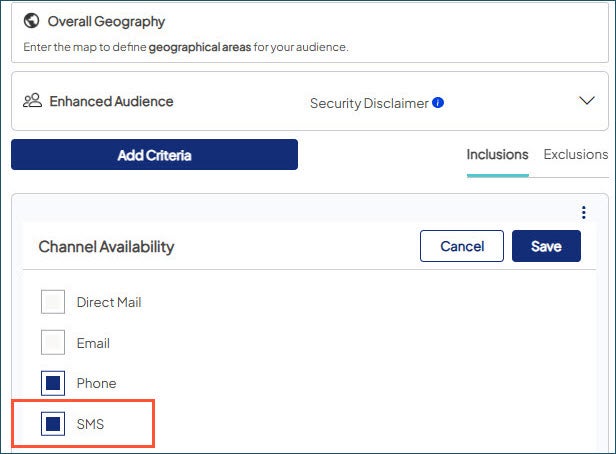
- In your audience criteria, Channel Availability now features SMS as an option. Contacts are included if they 1) are solicitable by phone and 2) have at least one SMS-enabled number.
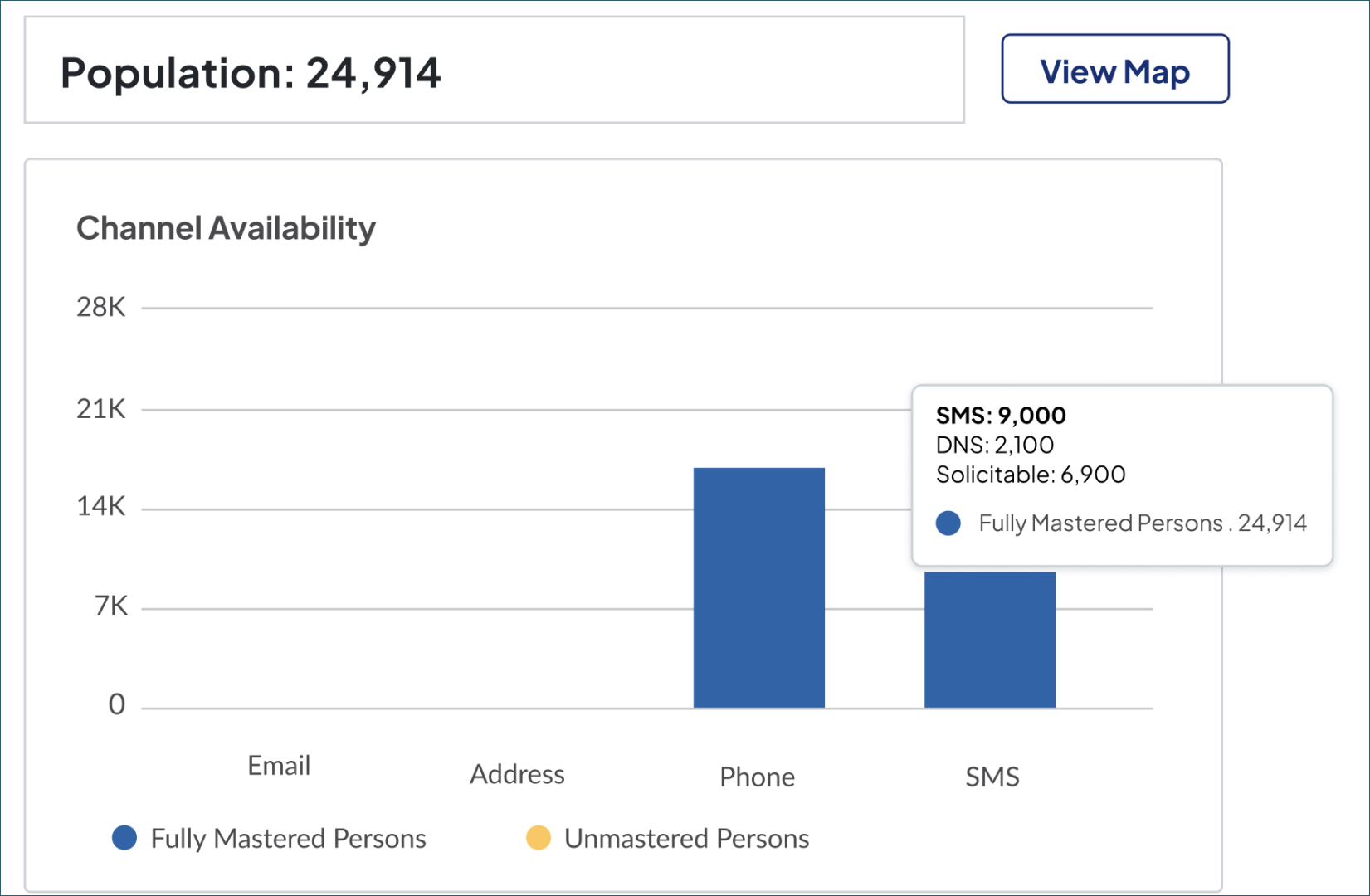
- When you select SMS, it appears in the bar chart separately from Phone, which includes contacts who are solicitable by phone but don’t have SMS-enabled numbers. Hover to see counts by Fully Mastered and Unmastered Persons.
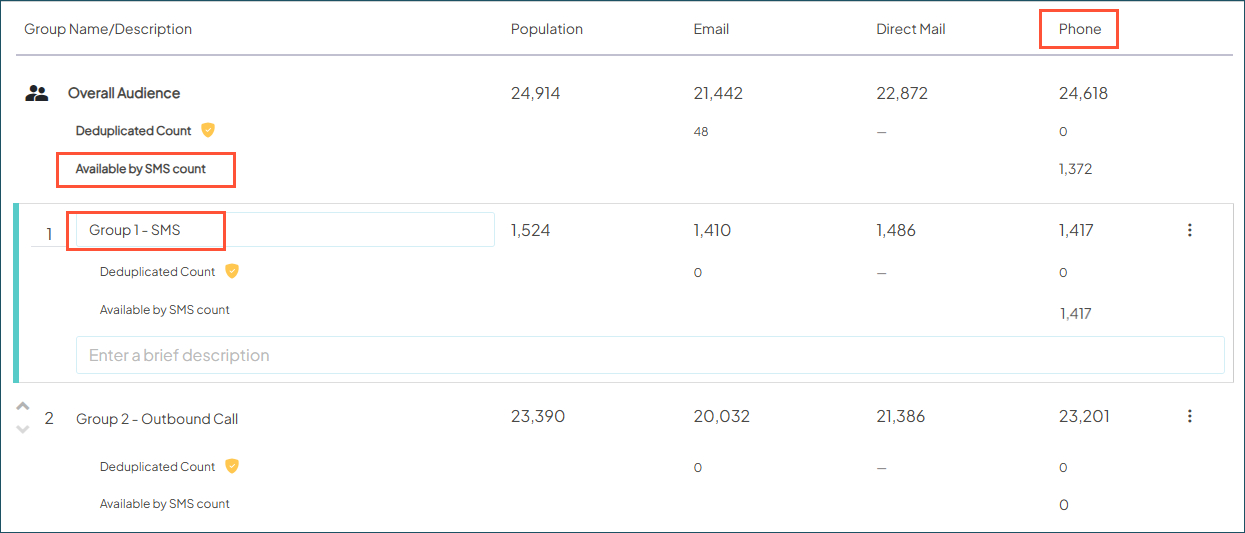
- In Audience Groups, the Phone column (renamed from Outbound Call) now shows the total contacts available by phone, plus a sub-count for those who can receive SMS. You can also create Audience Groups of SMS-only contacts.
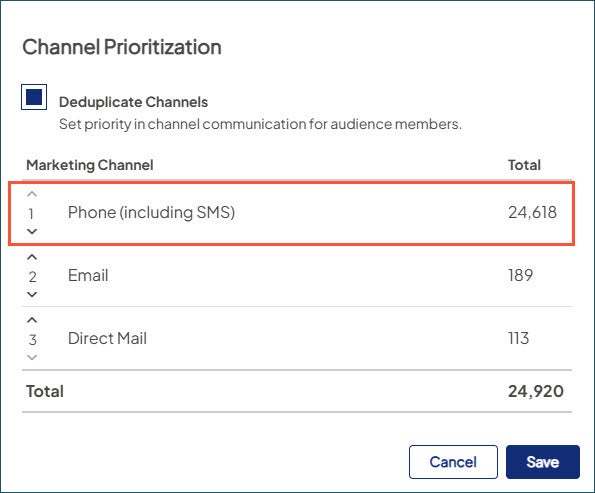
- In Audience Settings, where channels can be deduplicated by priority, you now have an option for Phone (including SMS).

Streamlined exporting: Instead of separate buttons for Create Mail List and Create Outbound Call List, there’s now a single dropdown with a new option: Phone List (includes SMS).
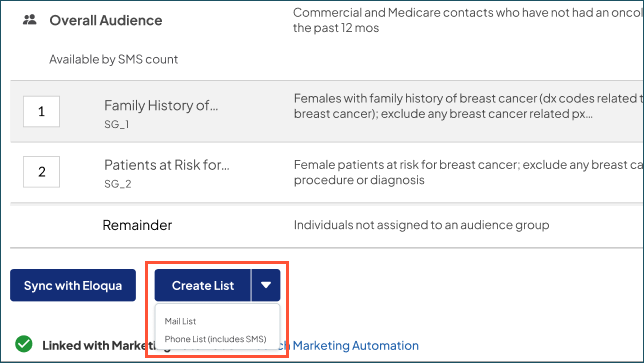
This gives you one file for both SMS and outbound call lists. Plus, it includes two new fields that flag which home and/or mobile numbers are SMS-enabled, so you can easily segment your list before loading into your external tool.
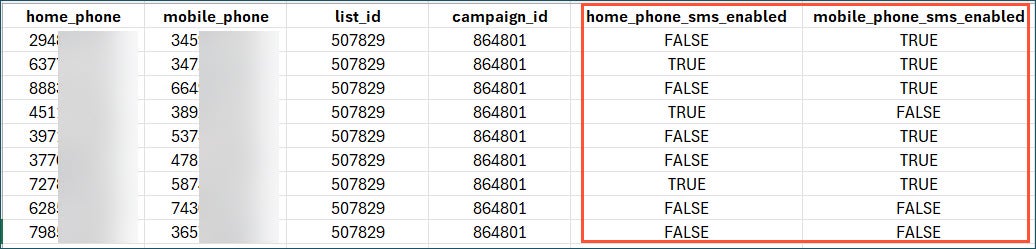

Based on our best practices, we recommend prioritizing mobile when both are available.
Why it matters
You now have fully validated SMS audiences — and it’s just the start for Ignite Growth Platform. In the months ahead, we’ll be continuing our release rollout to expand and enhance your capabilities. Here’s a sneak peek!
- Data submission: Send SMS-specific activities into the platform for retargeting and reporting
- Robust reporting: Get full visibility into SMS performance, including campaign metrics, response tracking, and more success measures
- Direct integration: Like email, you can activate SMS audiences and receive activity data back directly through the vendor connection

Improved consumer data for smarter targeting
With updates to key criteria in Audience Insights, you can be even more accurate with your marketing outreach.
What it is
Leveraging the latest consumer market data from Epsilon, we’ve refreshed three household attributes used as selectable criteria:
| Criteria name | Criteria category | Definition |
|---|---|---|
| Household Income | Demography | Select individuals with household income in a specific range. |
| Net Worth | Household | Select household members based on estimated net worth (assets minus debt). |
| Household Niches | Household | Select households based on the characteristics of your selected Epsilon Niches 5.0™. |
How it works
With this release, the criteria have been automatically updated with the enhanced data. There are no changes to the familiar criteria names and selection ranges you use to build your audiences:
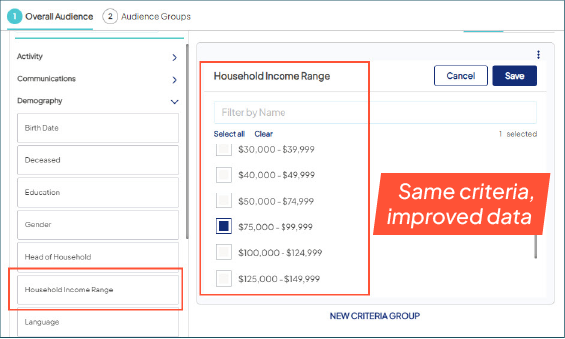
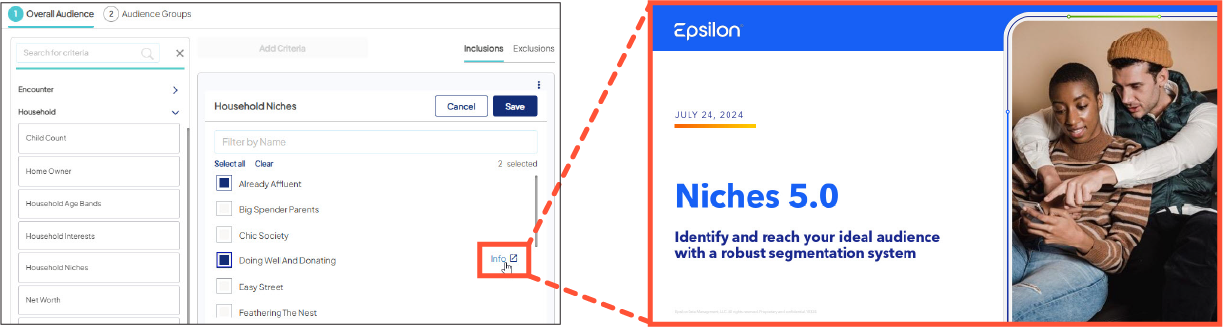
One user-friendly update: in Household Niches, the Info icon next to each segment links to a new quick reference doc for Epsilon Niches 5.0™ (the full version is available in the Help Center). It helps you better understand each Niche — demographics, financials, lifestyle, and more —to guide your audience creation.
Why it matters
You’re now working with the most recent, refined versions of high-value household attributes. These refreshed data sets give you sharper insights into your market, so you can target with greater precision.

