Export a phone or SMS list
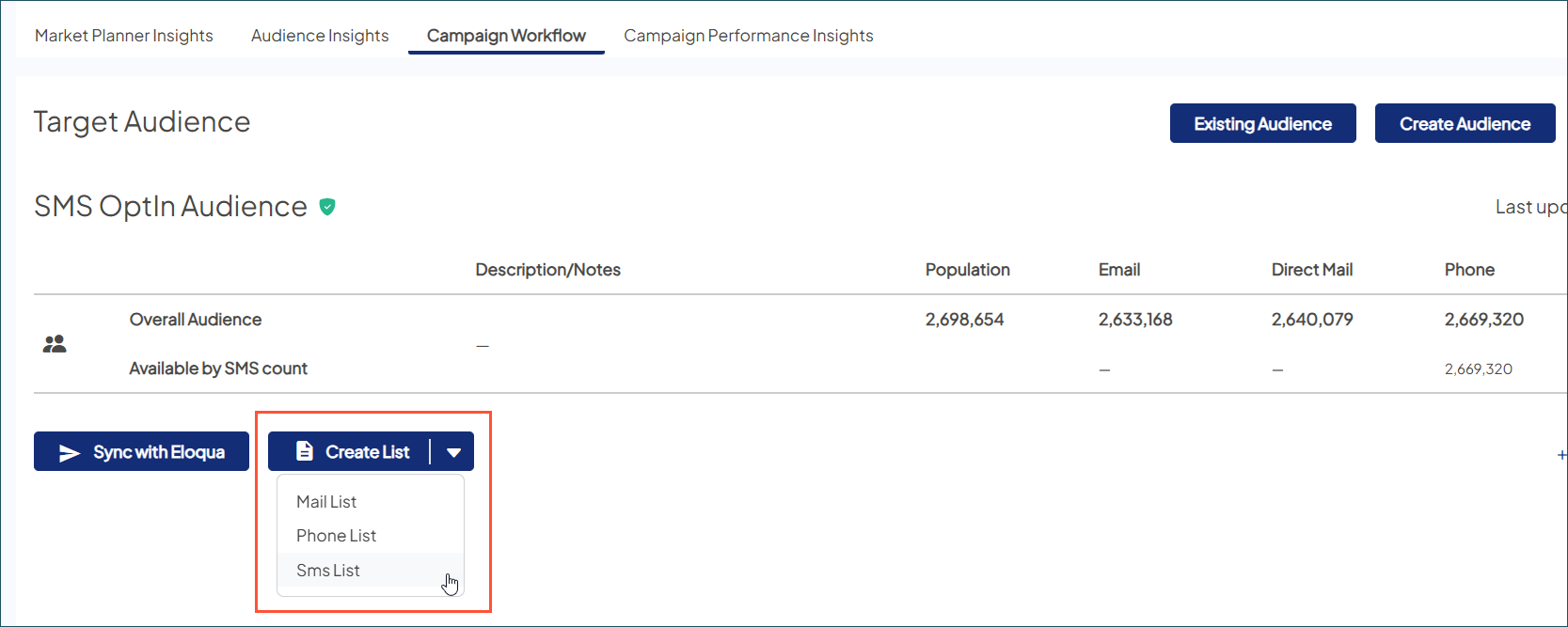
- On the Overview tab in your selected campaign, scroll to Target Audience.
- Click Create List, then select.
- Phone List: Includes all phone numbers
- SMS List: Includes SMS-enabled phone numbers with express marketing consent
- Enter the list details:
- Name of list: free-text field
- One Call Per: Choose from the following (if using the list for SMS messaging, a field indicates whether it is SMS enabled):
- Household: (the default setting), one phone number per household is included even when multiple individuals on the list share household membership.
- Individual: one phone number per individual is included in the list regardless of shared household membership.
- Cap List? Allows you to limit the size of thephone list (you may want to do this for budget purposes).
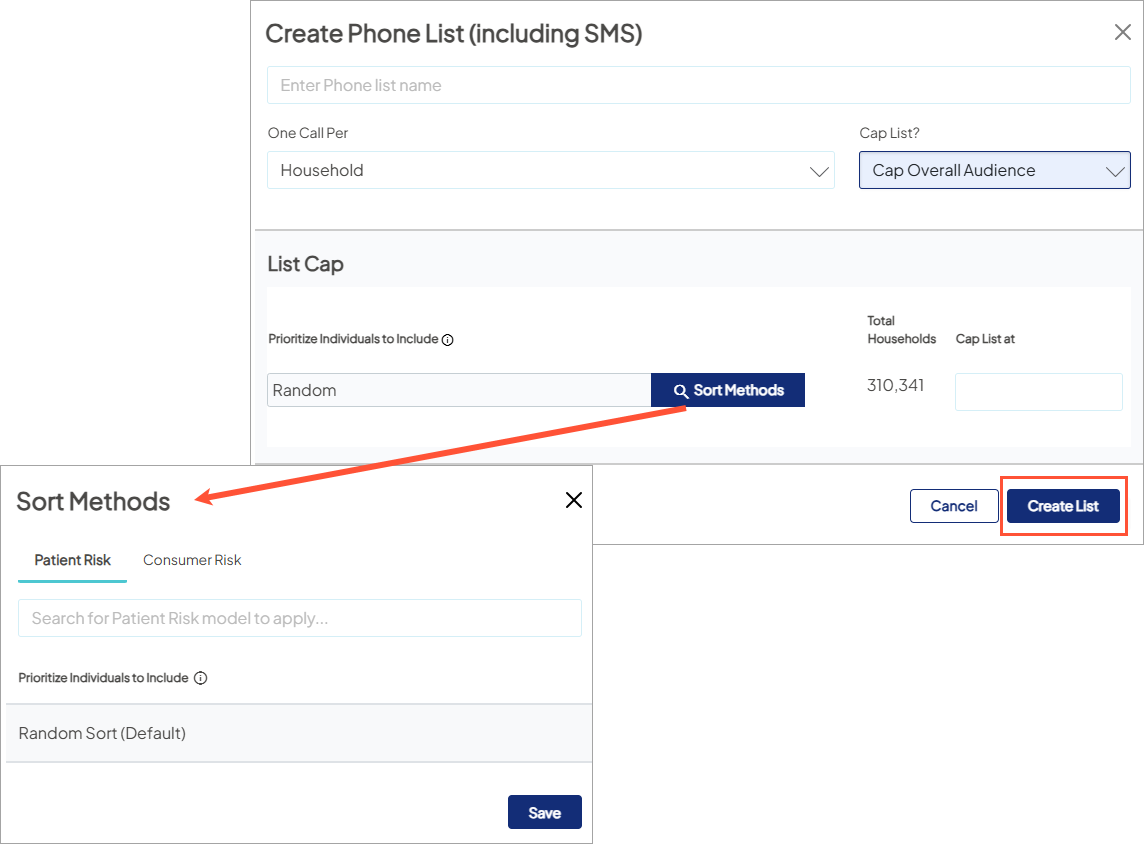
- Select Create List to generate the mailing list. When the list is complete, it displays in the List History of the target audience.
-
Click Show List History to:

- Export Phone List / SMS List: Downloads a CSV for 3rd-party contact centers or SMS vendors. SMS lists include columns showing which numbers (home or mobile) are opted-in.
- Download the Demographic Report: Evaluate the demographic details of the individuals (or households) included in the phone list (if Mastered records are included in the list).
- Hide List History: Collapse the section (optional).
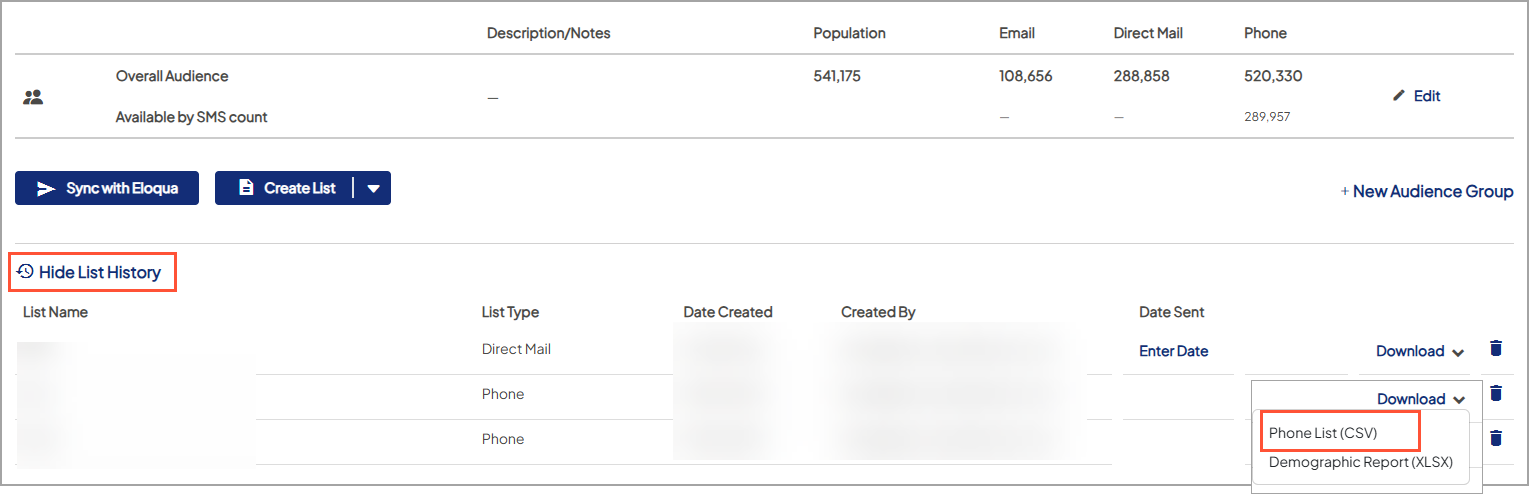

Note:Unlike Mail Lists where a "Date Sent" must be entered to get accurate reporting, no date is needed for Phone Lists (including SMS) as they are classified as leads and reporting is not available, unless there is a trackable call-to-action in the messaging


